Deep Dive: Building & Framing Your Enclosure and Mounting the Screen
The hands-on companion to Part 4. When you are standing in the room with conduit or lumber and a folded-up impact screen, this is the step-by-step: dimensions, framing, and how to tension the screen so it looks sharp and kills the ball.
The enclosure is where a lot of DIY builders burn a weekend and a few choice words. The concepts are simple, a rigid frame, a taut screen, some padding, but the details decide whether you end up with a crisp, quiet bay or a rippled screen that trampolines balls back at your projector. This guide consolidates how the good kit manuals and custom builds actually do it into one set of numbers and steps you can build to. Read it start to finish once, then keep it open on your phone while you work.
The measurements that govern the whole build
Before you cut anything, lock in these clearances. They repeat across nearly every reputable build for a reason: they are the difference between a screen that lasts and one that fails, and between a safe bay and a dangerous one.
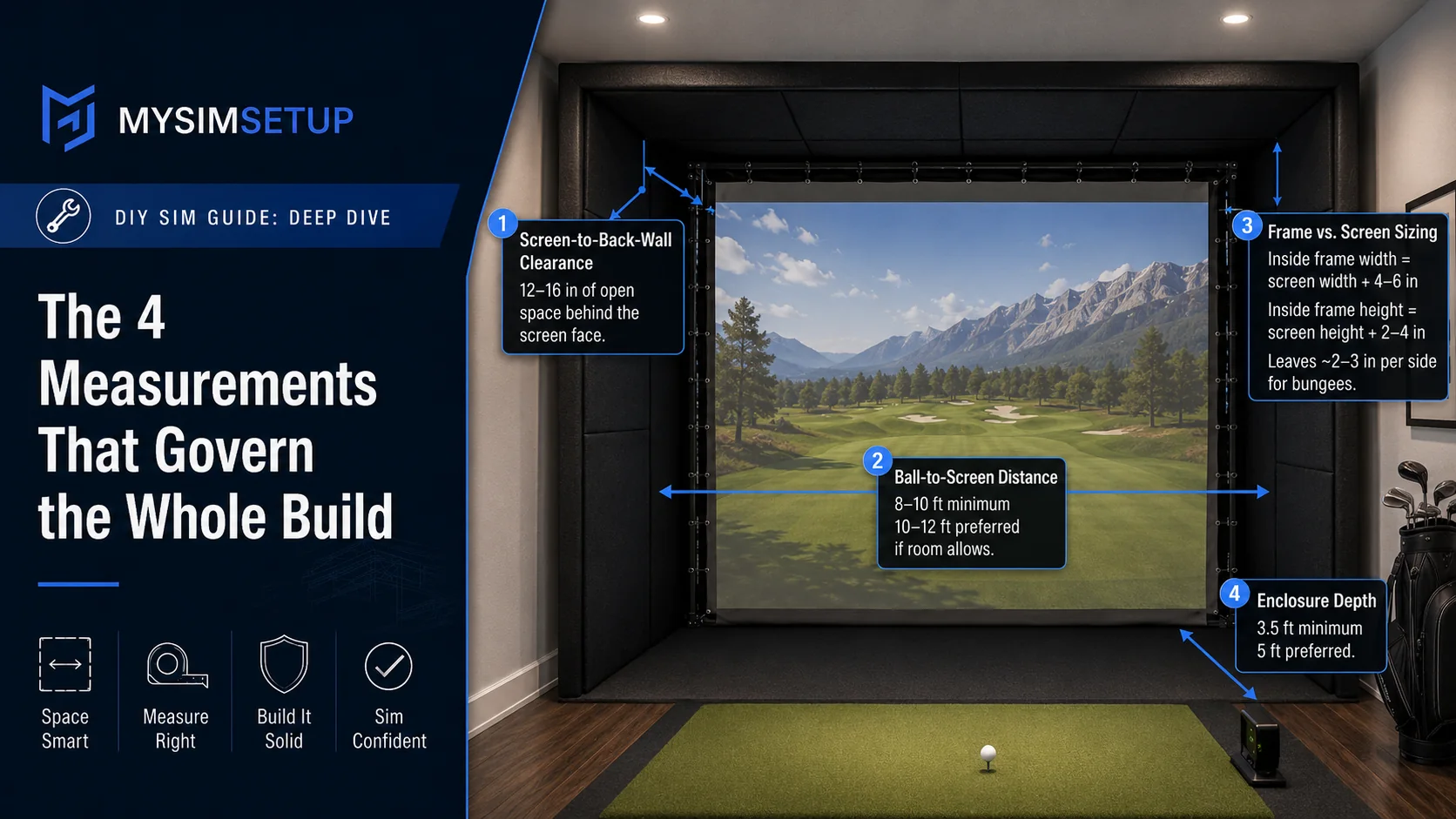
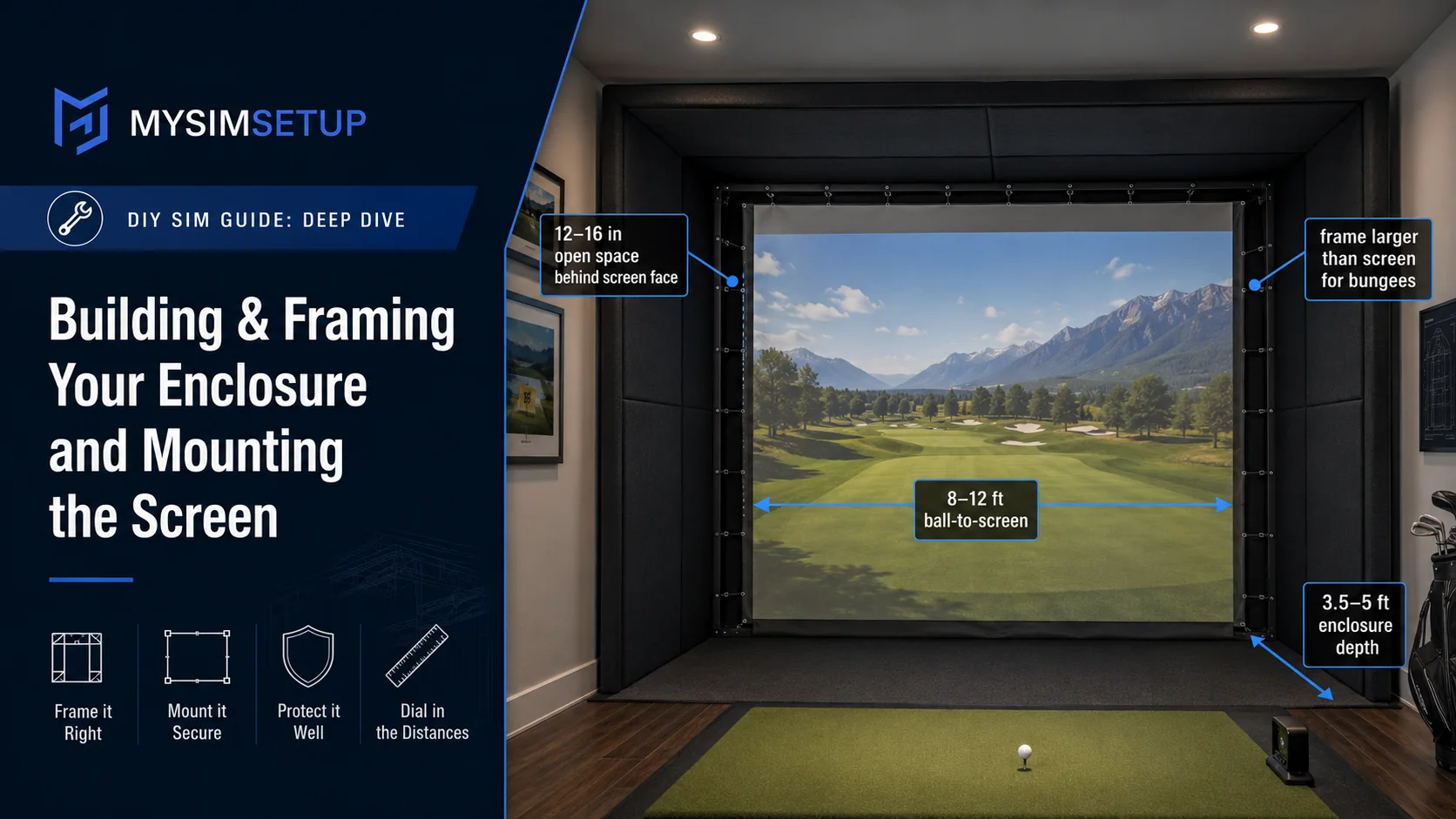
Screen-to-back-wall clearance: leave 12 to 16 inches of open space behind the screen face. The screen has to flex backward and absorb the strike; pin it too close to the wall and every shot hits a hard stop, wearing the screen out and firing the ball back hard. Twelve inches is the practical minimum; sixteen is safer for higher ball speeds.
Ball-to-screen distance: give yourself 8 to 10 feet minimum from where you strike the ball to the screen, and 10 to 12 feet if the room allows. This lets the launch monitor read the shot and lets the ball shed energy before impact.
Frame vs. screen sizing: the frame must be larger than the finished screen so the screen can be tensioned inside it. A good working rule is an inside frame width of the screen width plus 4 to 6 inches, and an inside height of the screen height plus 2 to 4 inches, which leaves roughly a 2 to 3 inch gap on each side for the bungees to pull against.
Enclosure depth: 3.5 feet is a sensible minimum, 5 feet is better. Depth is what lets the side panels and top wrap around to catch shanks and skied shots, not just the pure ones.
Approach 1: the EMT (conduit) cage
The most popular budget-to-mid custom enclosure is a cage built from 1-inch EMT (electrical metallic tubing) and corner/elbow fittings. It is modular, freestanding or semi-freestanding, and easy to reconfigure. One gotcha worth knowing before you buy fittings: "1-inch EMT" is a trade size, its actual outside diameter is about 1.163 inches, and rigid or PVC conduit is not interchangeable with EMT-sized fittings. Match your fittings to EMT specifically.
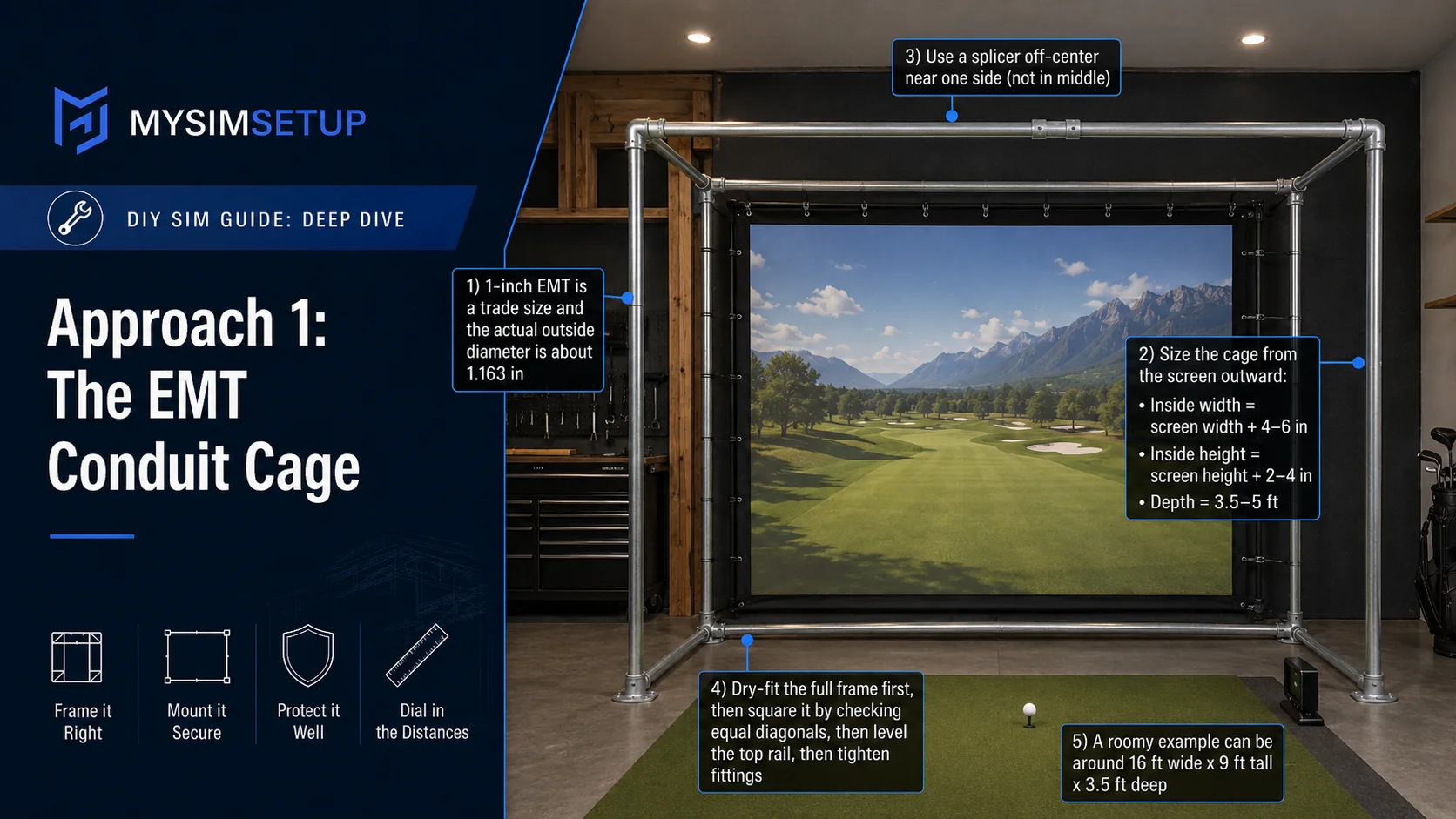
Size the cage from your screen out: inside width equals finished screen width plus 4 to 6 inches; inside height equals screen height plus 2 to 4 inches (add less if you are running a loose or flapped bottom); depth 3.5 to 5 feet. A common, roomy 16:9-friendly build lands around 16 feet wide by 9 feet tall by 3.5 feet deep. If any horizontal run is wider than about 10 feet, use a splicer to join lengths, and push that splice toward the side rather than dead center, so the joint does not sag in the middle of the top rail.
Assembly order matters: dry-fit the whole frame loosely first, get it square (measure the diagonals, which should be equal) and level along the top rail, and only then tighten the fittings. You will want to nudge things an inch or two once the screen is hung, so do not commit until it hangs true.
Approach 2: the built-in 2x4 wood frame
For a permanent, finished-room look, a 2x4 frame anchored to the structure is the premium route. Set the frame about 10 inches off the rear wall (your back-wall clearance), then anchor wherever you can, into wall studs, ceiling joists, and the floor, using structural screws or toggle bolts roughly every 12 to 16 inches. Depending on your room you might anchor to side walls plus ceiling, ceiling plus floor, side walls plus floor, or floor plus rear wall.
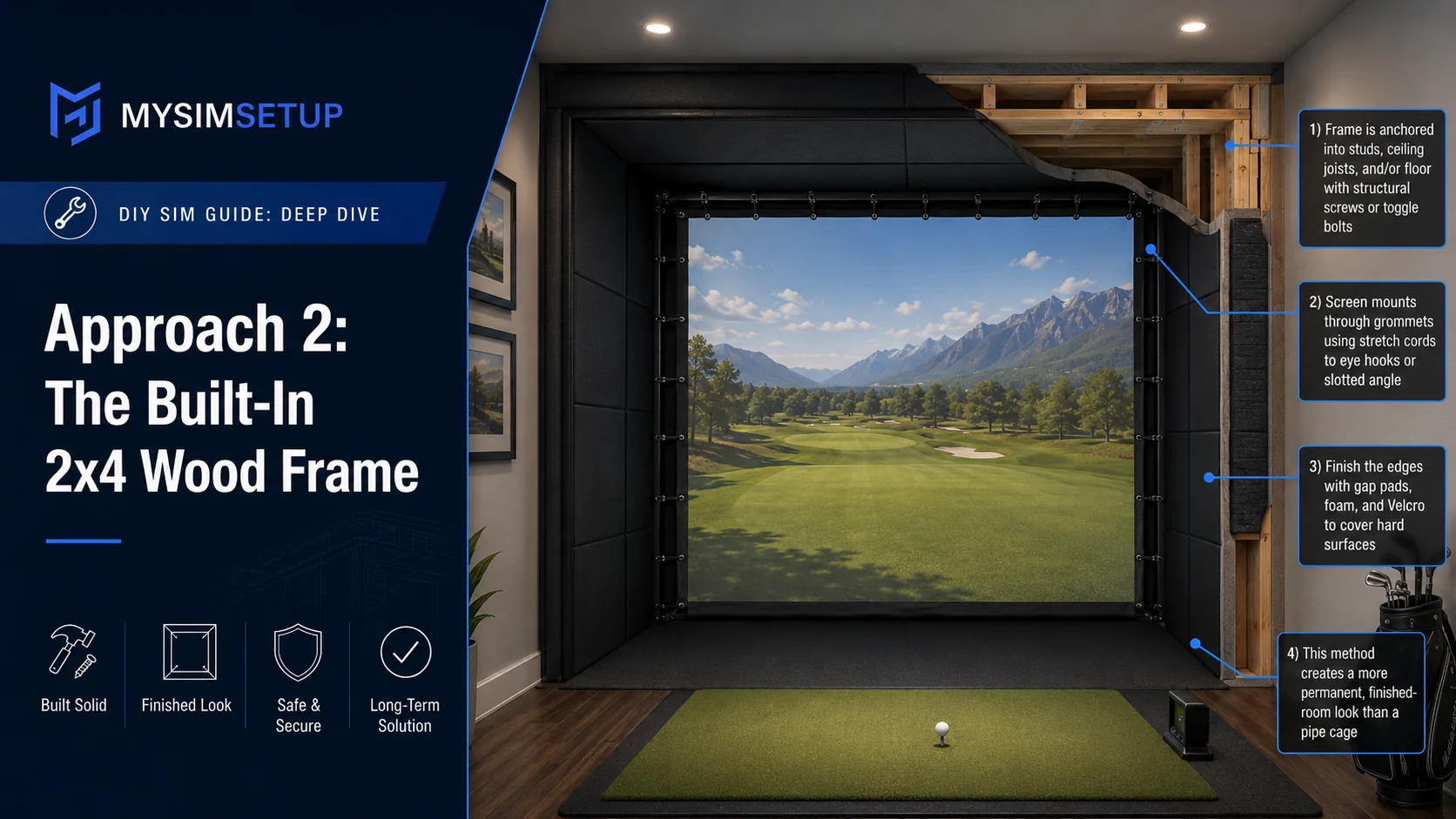
Mount the screen to the wood frame through its grommets using stretch cords into slotted angle iron or eye-hooks, and finish the look with gap pads, foam, and Velcro to hide the frame edges. This is the method that reads as a built bay rather than a pipe cage, because you can pad and panel over every hard surface.
Mounting and tensioning the impact screen
This is the step people get wrong, and the one that most affects how your bay looks and how safe it is. Hang the screen loose first, then bring it to tension gradually and evenly.
Start at the four corners to center the screen in the frame, then work outward attaching the remaining grommets, alternating sides so tension builds evenly rather than pulling to one edge. Use ball bungees through the grommets on a grommeted screen; for a raw screen, tarp clips plus short (about 6-inch) ball bungees do the same job. Space attachments roughly every 3 feet along the top and bottom and every 2 feet up the sides, tightening the spacing near the bottom center if the screen tries to slip or pull crooked.
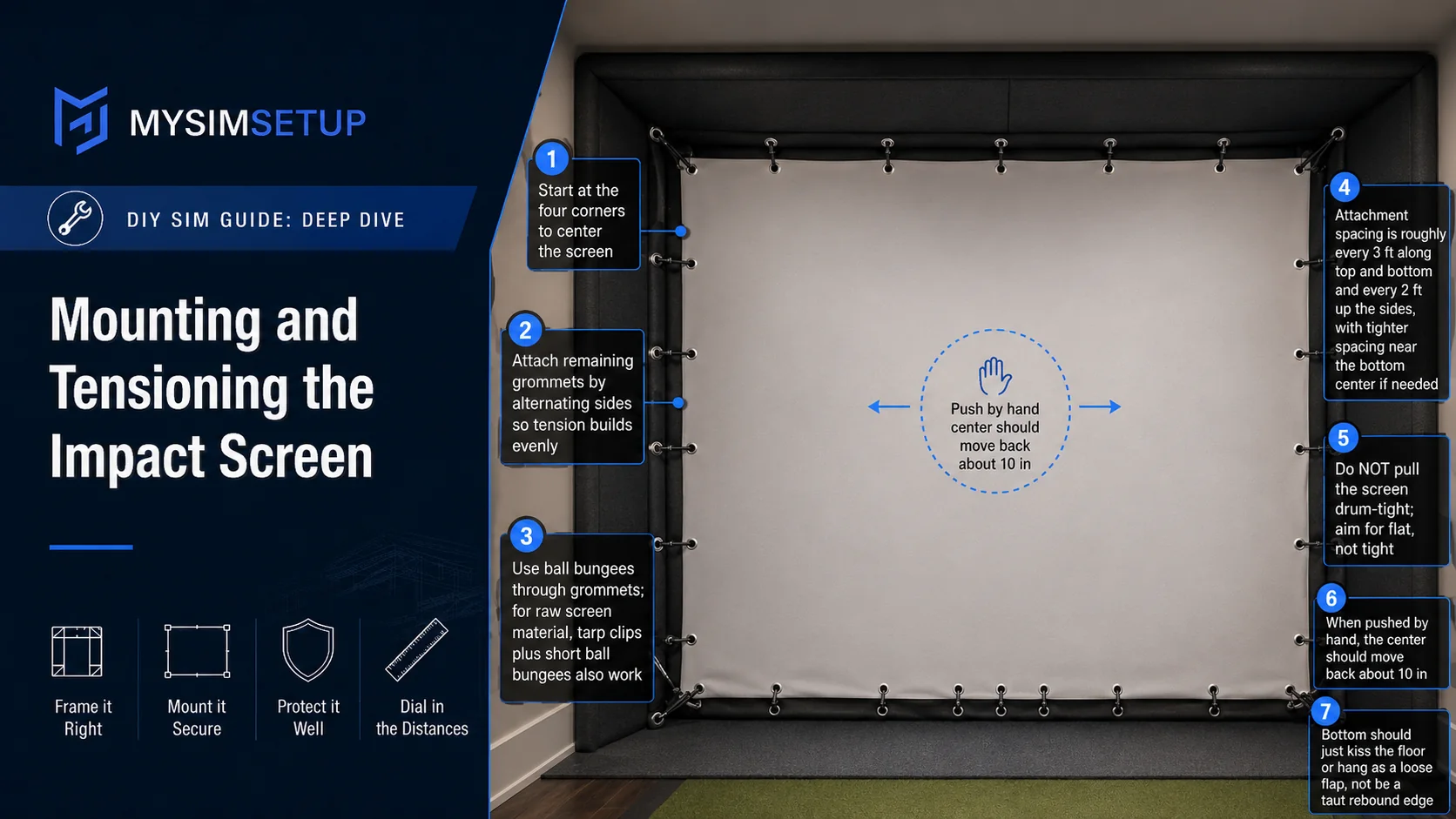
Handle the bottom of the screen deliberately: let it just kiss the floor, run it as a loose flap, secure it in a bottom pocket or cable, or tuck it below turf height. What you are avoiding is a taut bottom edge that snaps balls back along the floor.
Finish it safe: padding, shank protection, and noise
A bare frame is a hazard, not a finished bay. After the screen and any surround cloth are tensioned, cover every exposed hard edge: foam pipe insulation over EMT, foam pads or wrapped flaps over wood. This is not cosmetic: a ball that catches bare pipe or a metal corner ricochets fast and unpredictably.
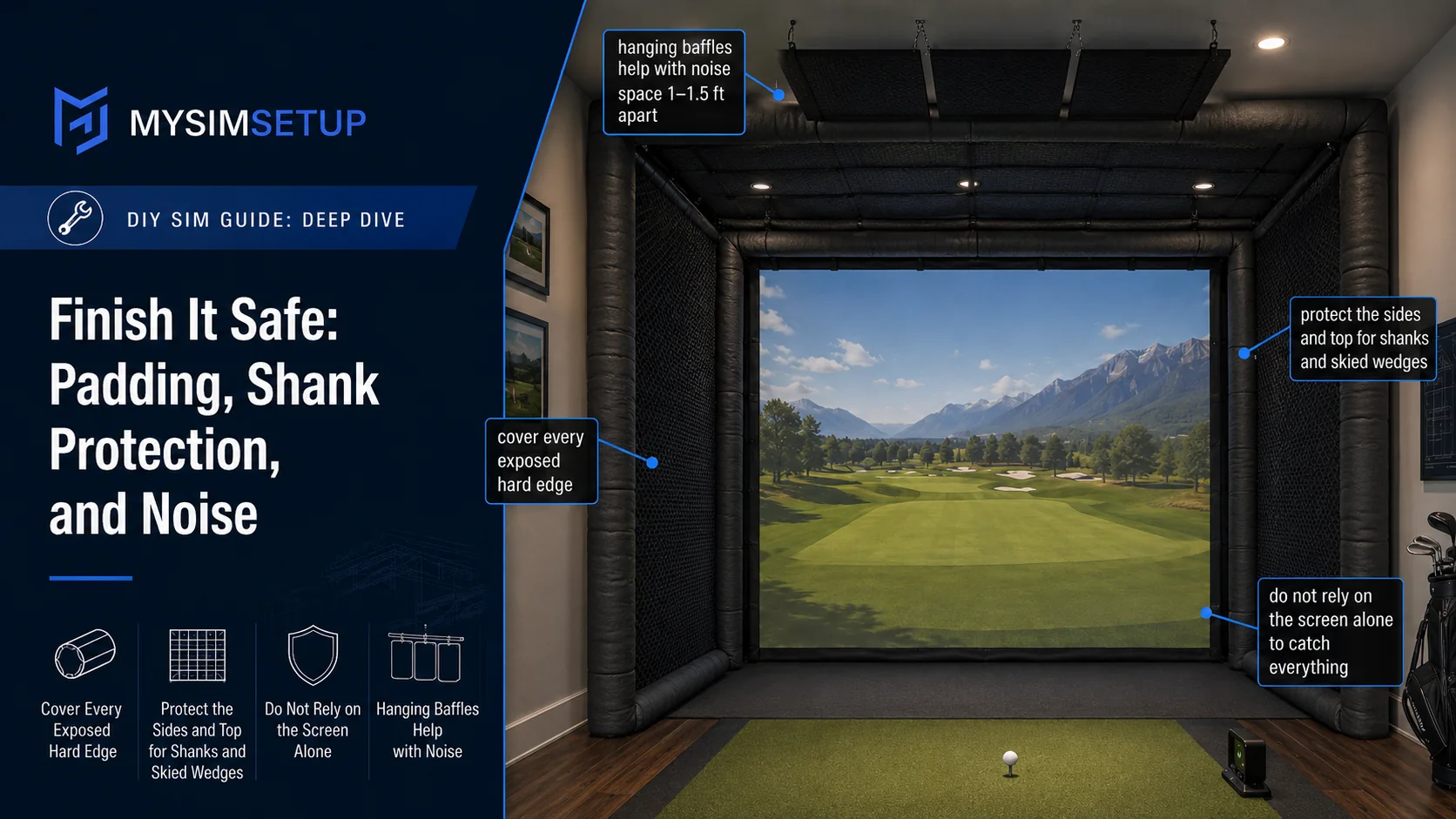
Protect the sides and top too. The enclosure exists for the shots you did not mean to hit: shanks, skied wedges, tops, and the friend who misses the entire screen. Add side barrier netting or padded wings and top protection; do not rely on the screen alone to catch everything. If noise is a concern, hanging baffles spaced roughly 1 to 1.5 feet apart help knock down the thump.
The five mistakes that ruin enclosures
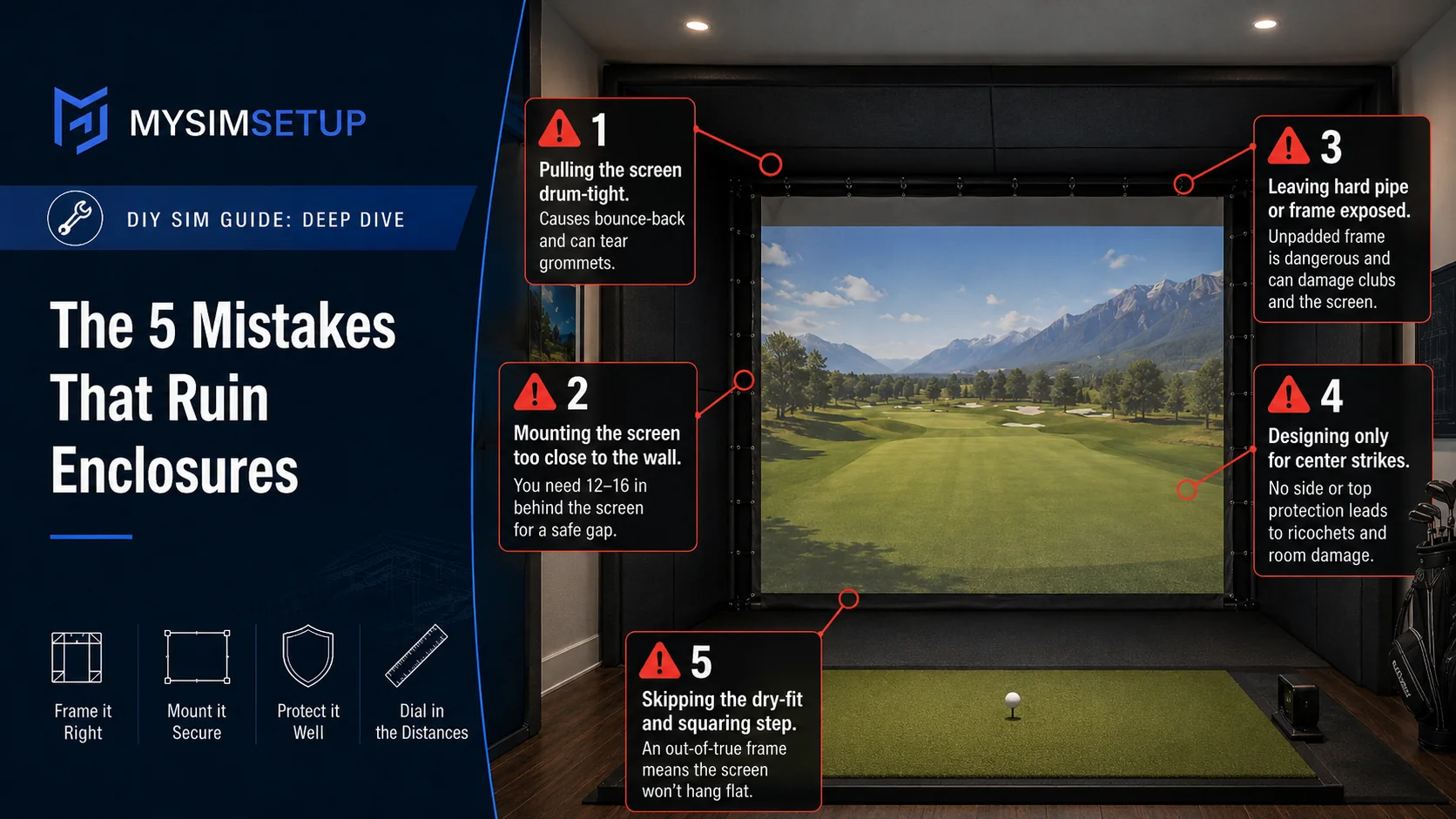
One: pulling the screen drum-tight (bounce-back and torn grommets). Two: mounting the screen too close to the wall, so keep that 12 to 16 inch gap. Three: leaving hard pipe or frame exposed instead of padding it. Four: designing only for center strikes, with no side or top protection. Five: skipping the dry-fit and squaring step, so the frame is out of true and the screen never hangs flat. Avoid those five and the rest is just patient, even work.