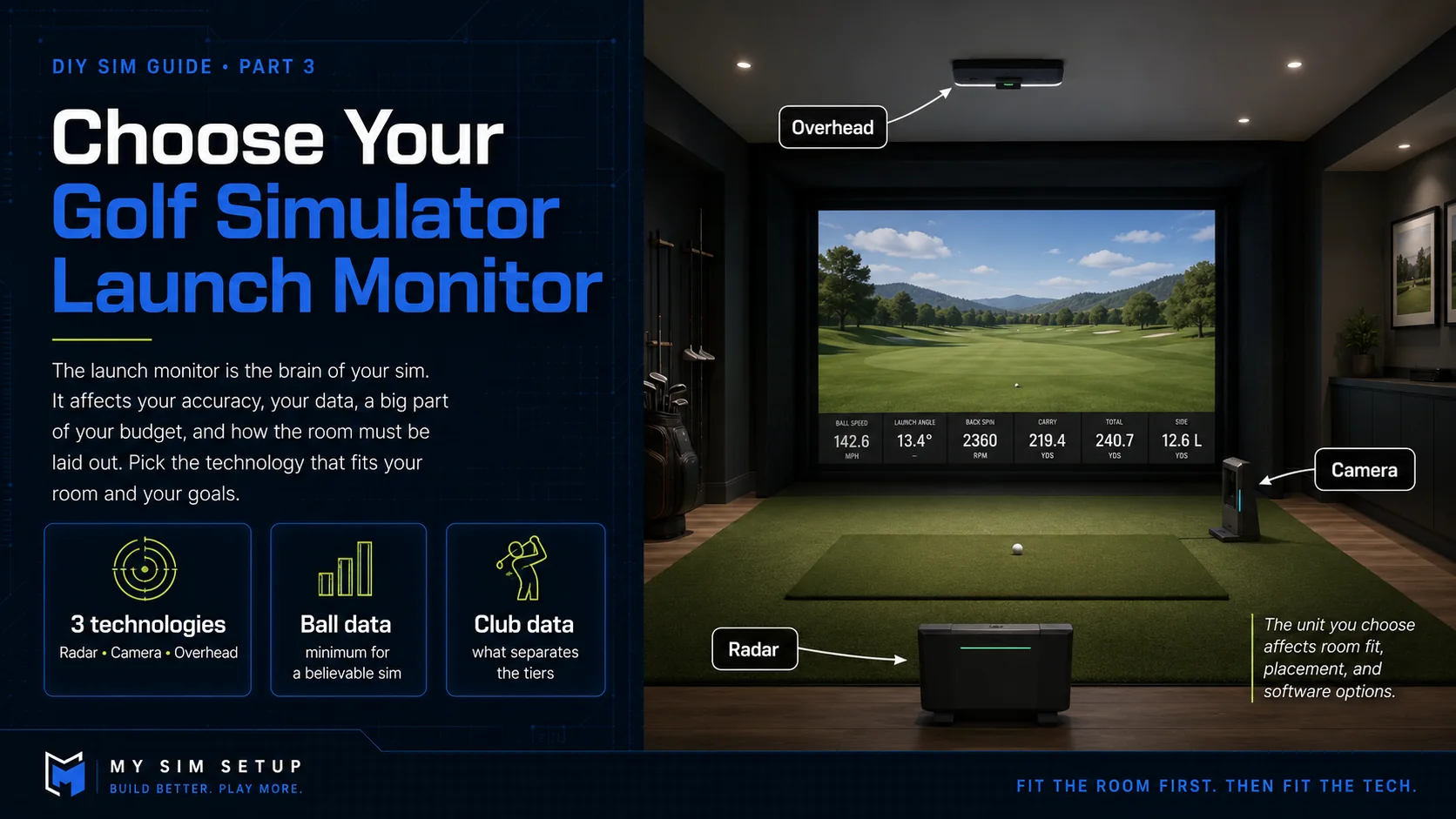
How to Choose a Golf Simulator Launch Monitor
The launch monitor is the brain of your sim. It sets your accuracy, your data, and a big chunk of your budget. Here is how to pick the right one for your room and your goals.
If your room is the foundation of a build, the launch monitor is the engine. It watches your ball, and often your club, measures the strike, and hands the numbers to your golf software so the ball flies on screen the way it would on a real course. It is usually the most important and most expensive component you will buy, and it drives everything else: how much room you need behind and in front of the ball, where it mounts, and which software you can run. This chapter covers how they work, the trade-offs between the main types, and how to match one to your space and your goals.
What a launch monitor actually measures
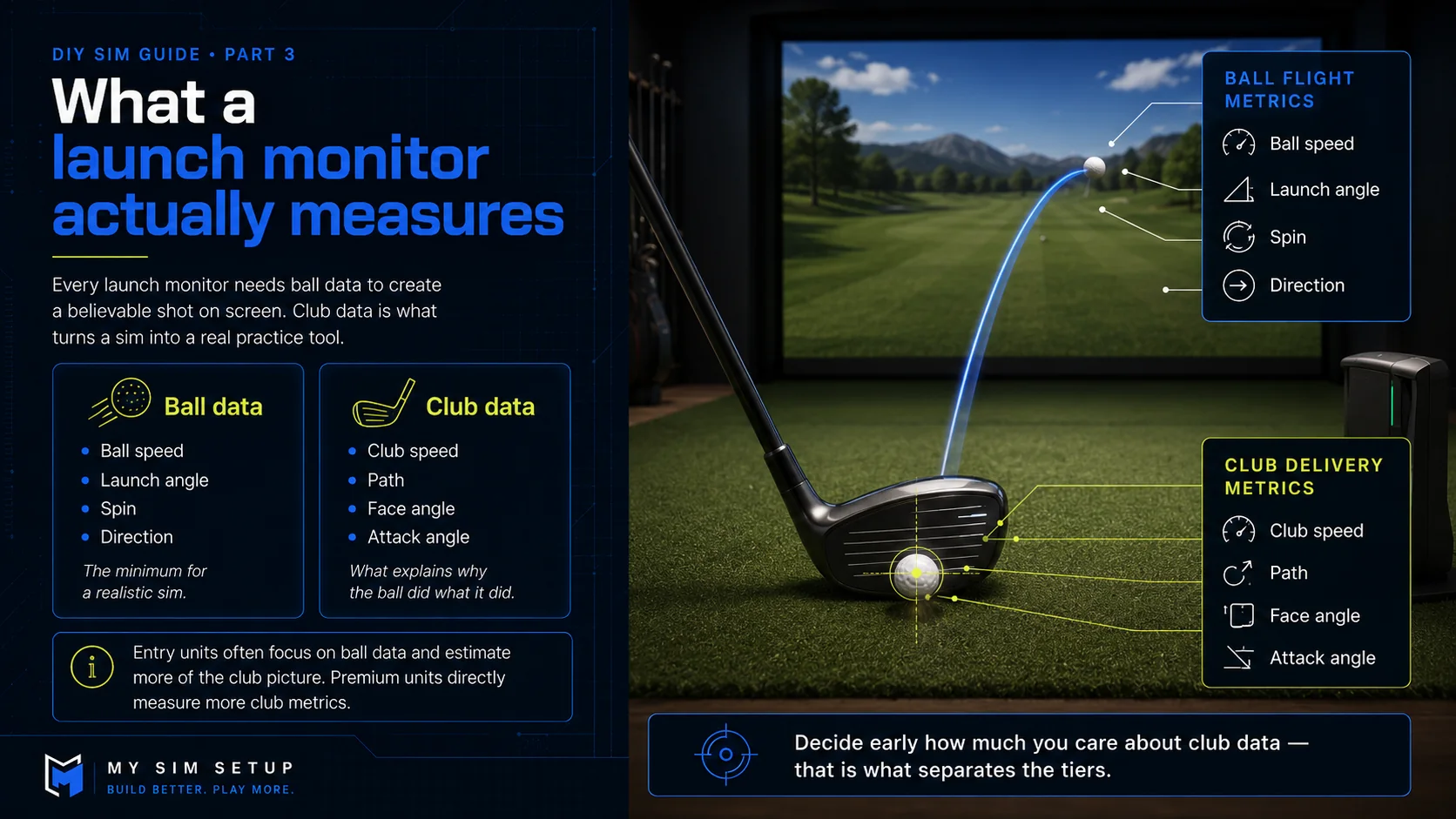
There are two families of data. Ball data is ball speed, launch angle, spin, and direction. Every unit needs it to put a realistic shot on screen, and it is the minimum for a believable sim. Club data is club head speed, path, face angle, and attack angle. That is what turns a sim into a practice tool, because it shows you why the ball did what it did. Cheaper units nail the ball data and estimate the rest. Premium units measure more of the club picture directly. Decide early how much you care about club data, because that is what separates the tiers.
The three technologies, and where each one sits
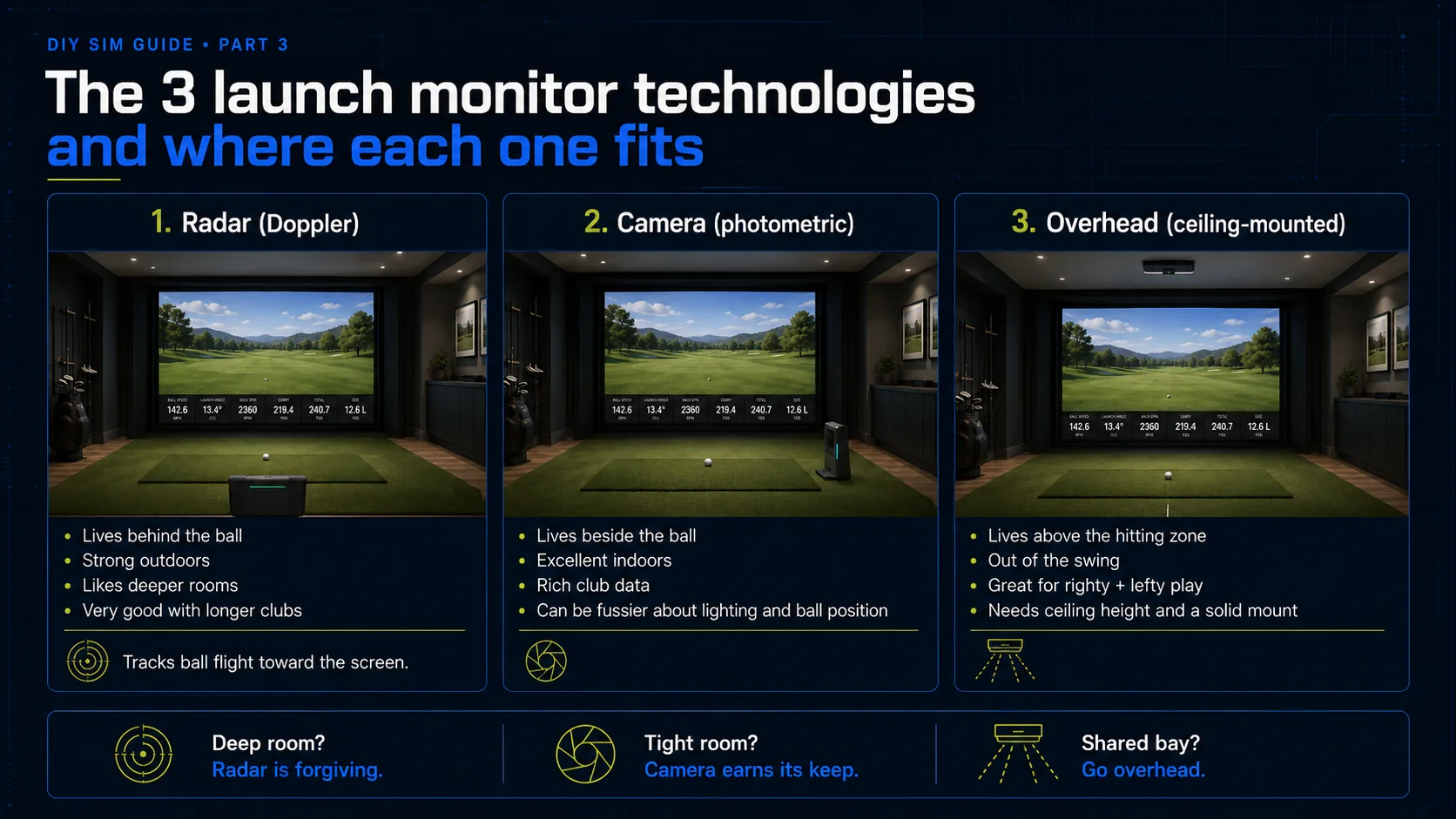
There are three ways a launch monitor can see your shot, and each one wants to live in a different spot in the room. The diagram at the top shows all three at a glance. Here is what that means for your build.
Radar (Doppler)
Radar units sit behind you and track the ball with a Doppler signal as it flies toward the screen. Their strength is measuring real ball flight, which makes them excellent outdoors and very good with longer clubs. The catch indoors is that they want space. Radar usually needs several feet of ball flight to lock on, so a shallow room can starve it. If your room is deep, radar is a strong and forgiving option.
Camera (photometric)
Camera-based units use high-speed cameras to photograph the ball, and often the club, in the first inches after impact, then compute the rest. They shine in tight indoor spaces because they only need to see the strike, not the whole flight, and they usually deliver rich club data. They can be fussier about lighting and placement, and some want marked balls, but for most indoor builds they give you the most accuracy per square foot.
Overhead (ceiling-mounted)
Some camera systems mount overhead and look straight down at the hitting area. The big win is that they stay out of your swing entirely and handle right- and left-handed players without moving anything, which is perfect for a shared bay or a clean permanent install. They need the ceiling height and a solid mount, and placement is less forgiving, but they make for the tidiest rooms.
Placement and the space each type needs
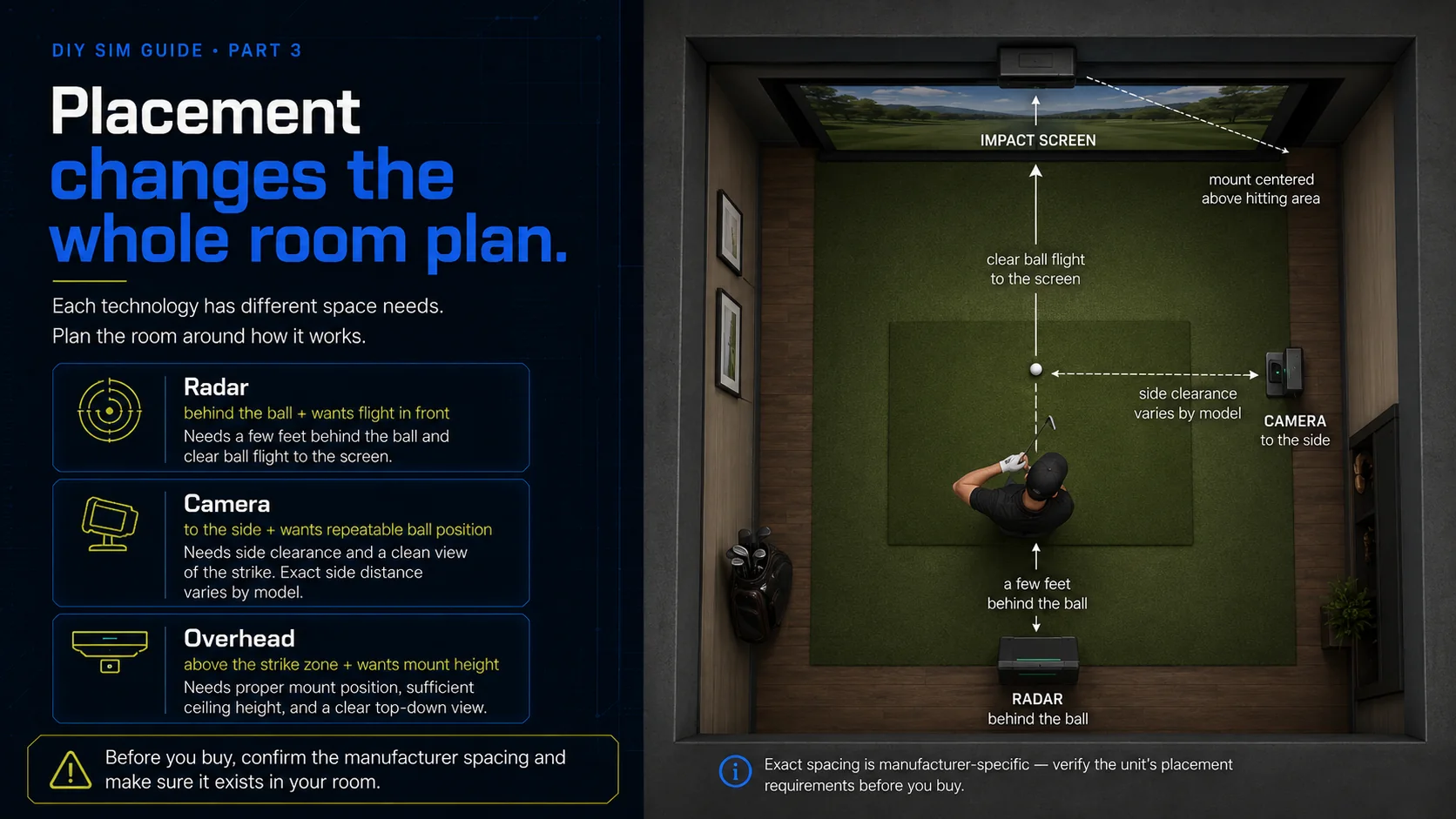
Where a unit sits changes your room plan. Radar lives a few feet behind the ball and wants flight in front of it. Side cameras sit a set distance to the side of the ball, so you need clearance there and a consistent ball position. Overhead units need the mount and the height. Before you buy, confirm the manufacturer spacing and make sure it exists in your room. That is exactly the check the Plan Your Space chapter set you up for, and the one our 3D builder runs automatically when you drop a launch monitor into your room.
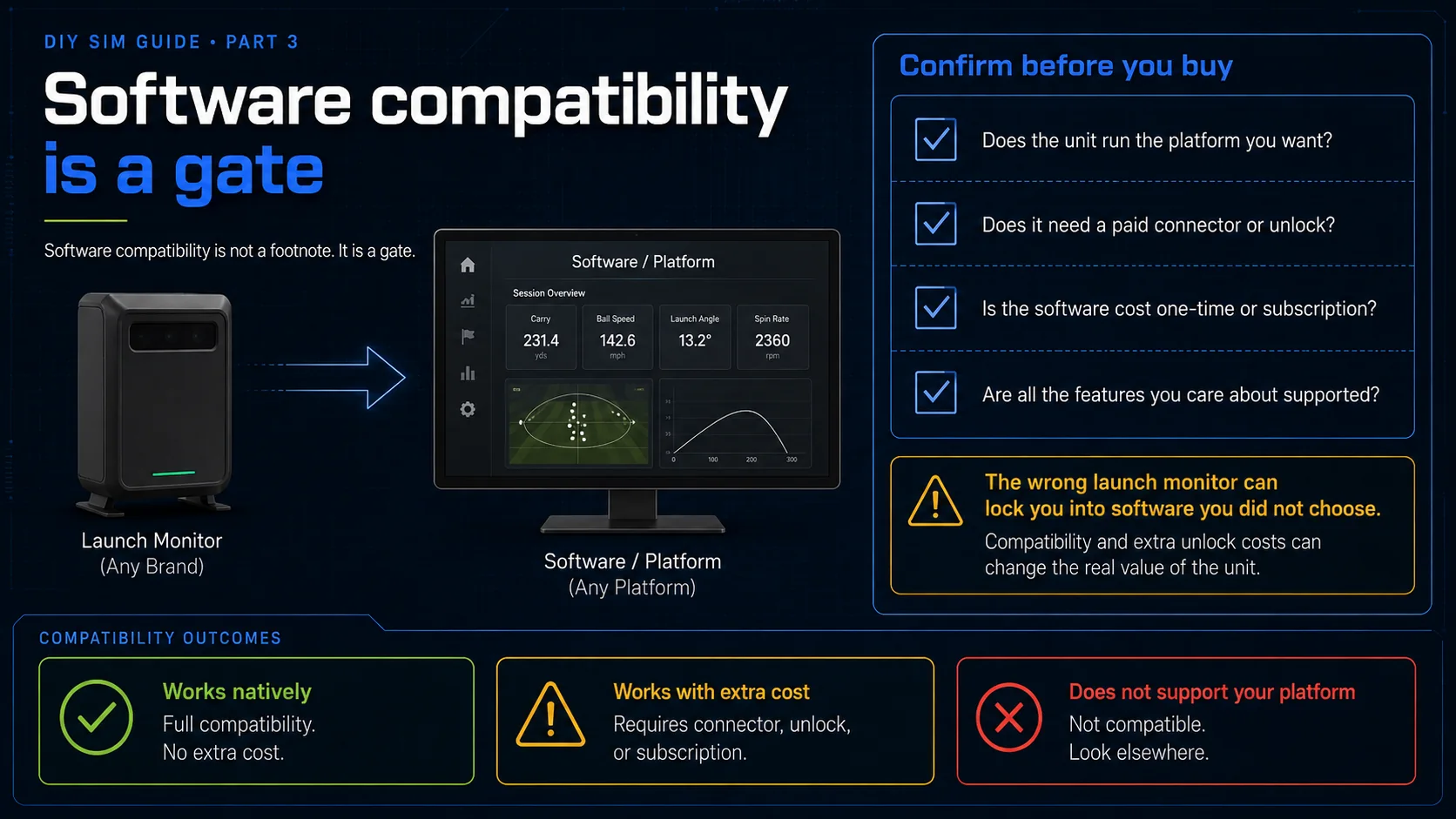
What you get as you spend more
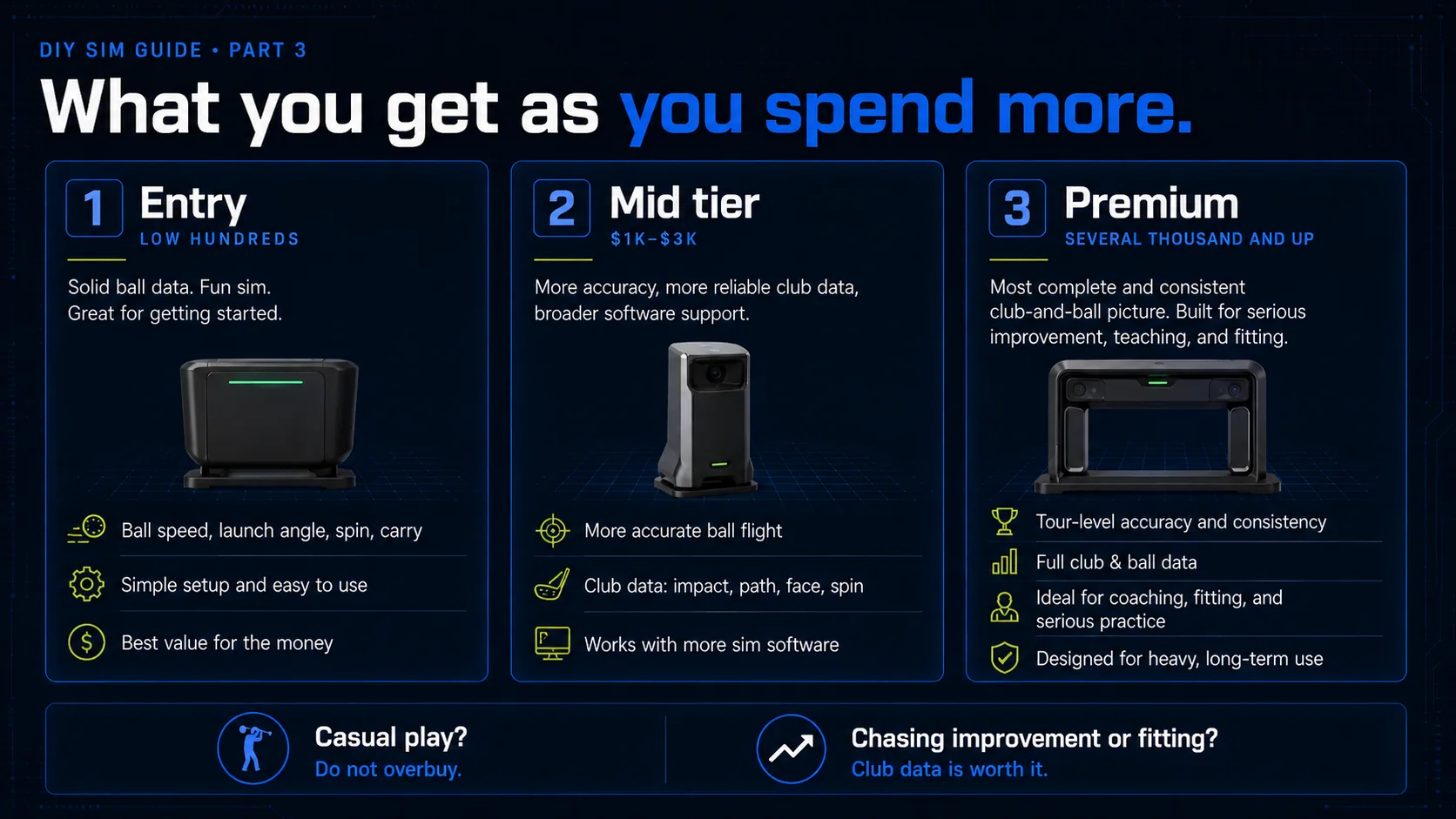
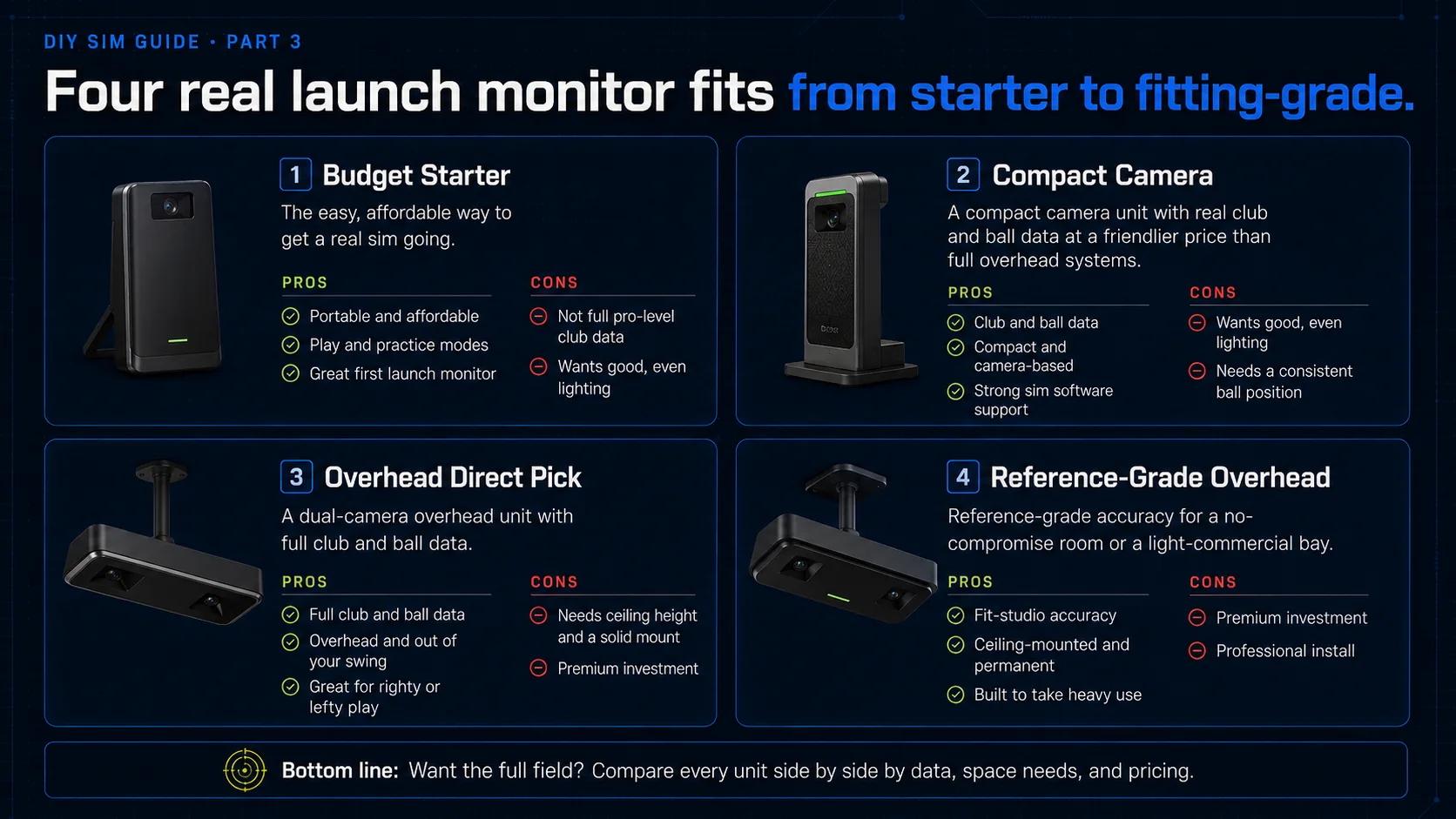
Entry-level units in the low hundreds get you solid ball data and a genuinely fun sim, which is perfect for casual play and getting started. The mid tier, roughly one to three thousand, adds accuracy, more reliable club data, and broader software support, and it is where most serious home builds land. The premium tier, several thousand and up, buys the most complete and consistent club-and-ball picture, the kind teaching pros and fitters rely on. Spend where your goals are. If you just want a fun place to play, do not overbuy. If you are chasing real improvement or club fitting, the club data is worth it. Here are four real options, from a budget starter up to a fitting-grade unit.
Some links on this page earn this site a commission at no extra cost to you. Learn more.
"The easy, affordable way to get a real sim going. Portable, plays and practices, and hard to beat for the money."
"A compact Uneekor camera unit with real club and ball data at a friendlier price than the full overhead systems."
"Our direct pick. A dual-camera overhead unit with full club and ball data, and you can buy it direct from us."
"Reference-grade accuracy for a no-compromise room or a light-commercial bay."
Want the full field instead of these four? Compare every unit side by side, with accuracy, data, space needs, and live pricing across retailers. Each one drops straight into your 3D build.
How to actually decide
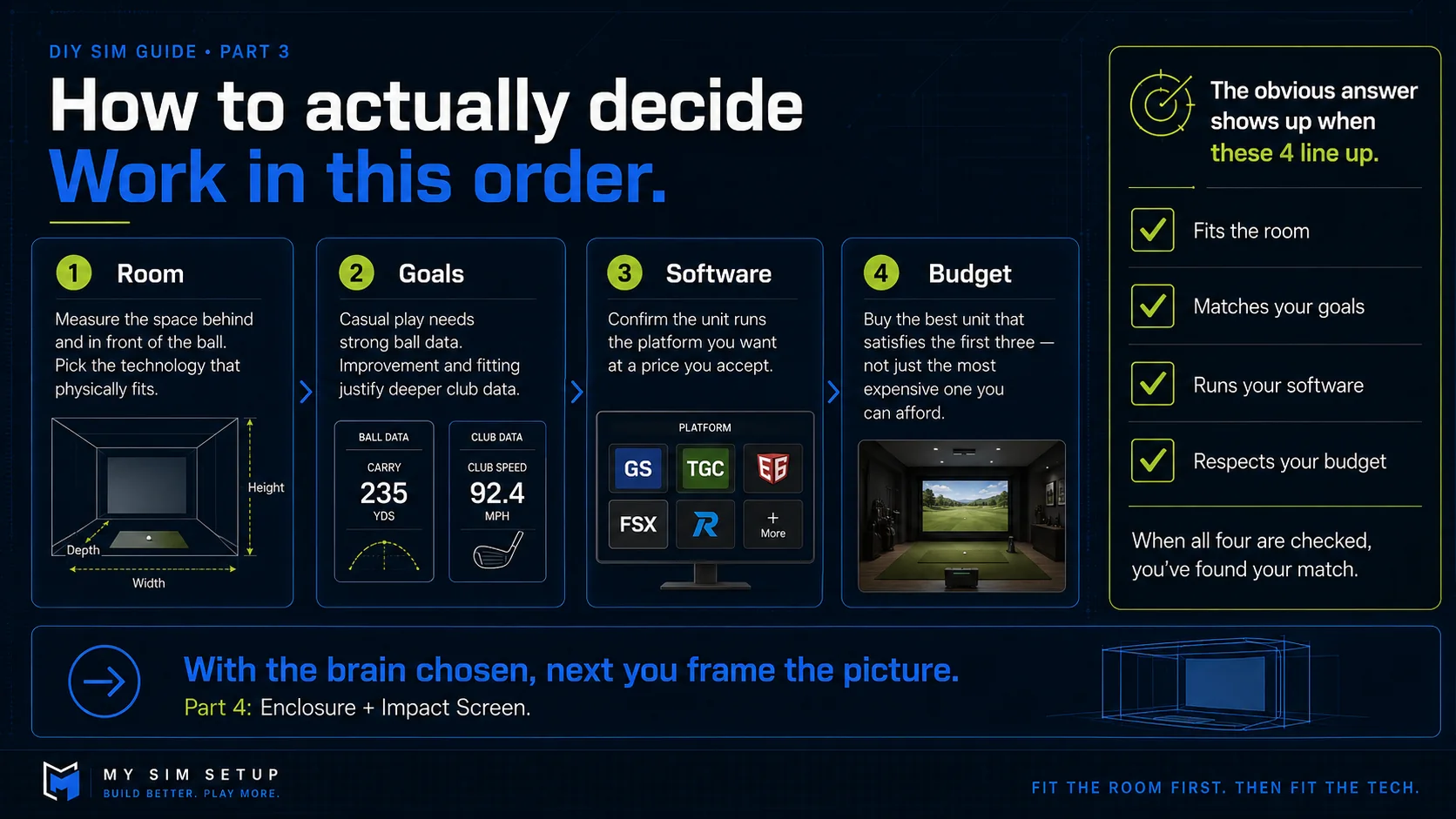
Work in this order. First, your room. Measure the space behind and in front of the ball and pick the technology that fits it. Second, your goals. Casual play needs good ball data, while improvement and fitting justify premium club data. Third, your software. Confirm the unit runs the platform you want at a price you accept. Fourth, your budget. Buy the best unit that satisfies the first three, not the most expensive one you can afford. Line those four up and there is usually one obvious answer.