How to Choose a Golf Simulator Enclosure and Impact Screen
The enclosure frames your bay and the screen catches your ball and holds the picture. Here is how to size them, build or buy them, and get an image that looks great and stays quiet.
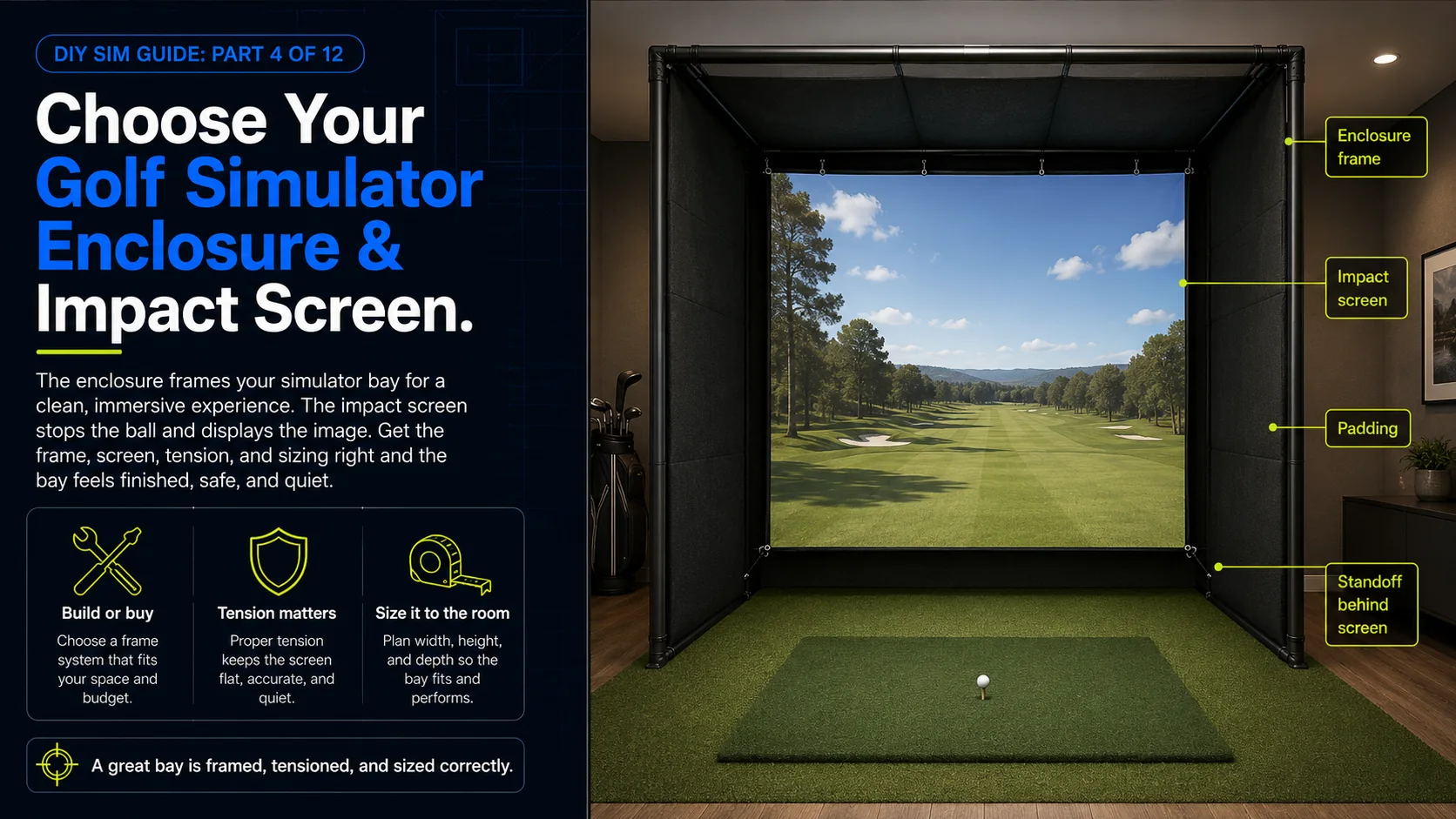
The enclosure and impact screen are what turn a projector and a net into a room. The enclosure is the frame that defines your bay and holds everything in place, and the impact screen does double duty as both your ball-stopping surface and your display. Get this pair right and your sim feels like a real space with a crisp, bright image. Get it wrong, with a loose screen, a flimsy frame, or the wrong size, and you fight ripples, bounce-back, and a picture that never looks quite right. This chapter covers your build-or-buy choice, screen material and tension, curved versus flat, and how to size everything to your room. The diagram above shows the four things a finished bay gets right: the frame, the screen, the tension, and the sizing.
Enclosure: buy a kit or build your own
Kit enclosures
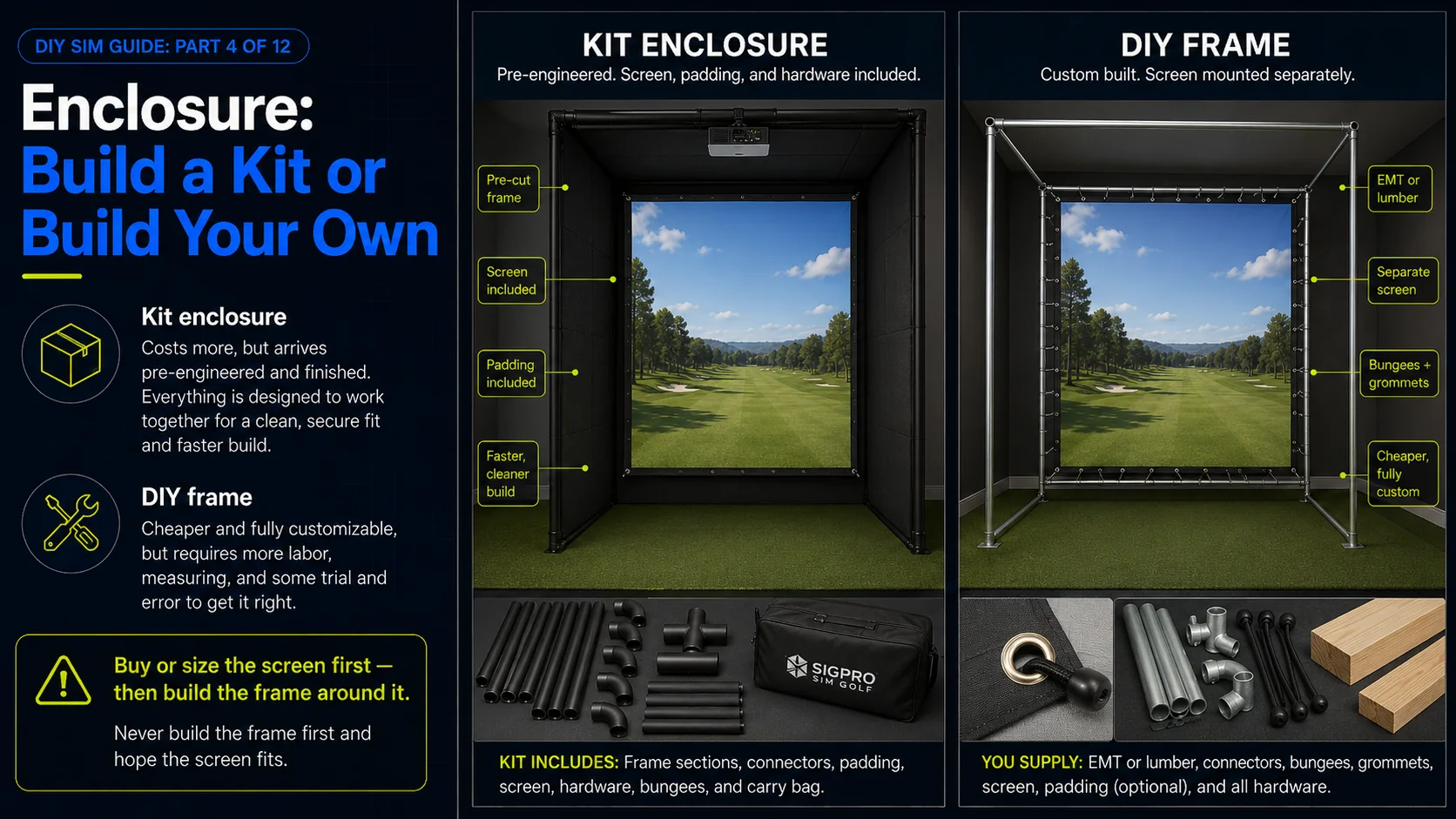
A kit enclosure arrives pre-engineered: pre-cut framing, a properly sized and tensioned screen, padding, and hardware, all matched to standard screen dimensions. You trade a higher price for a faster, cleaner, warrantied build that just works. The screen is tensioned correctly out of the box and the padding protects your frame and your clubs. If you value your time and want a finished look, a kit is the safe path.
DIY frame (conduit, EMT, or lumber)
The classic budget build frames the enclosure from metal electrical conduit (EMT) with corner fittings, or from 2x4 lumber, and hangs a separately purchased screen with bungees and grommets. It is much cheaper and fully custom to your room, at the cost of your labor and some trial and error getting the screen tension right. Thousands of excellent home bays are built this way. It is a weekend project, not a mystery.
Impact screen: material and tension
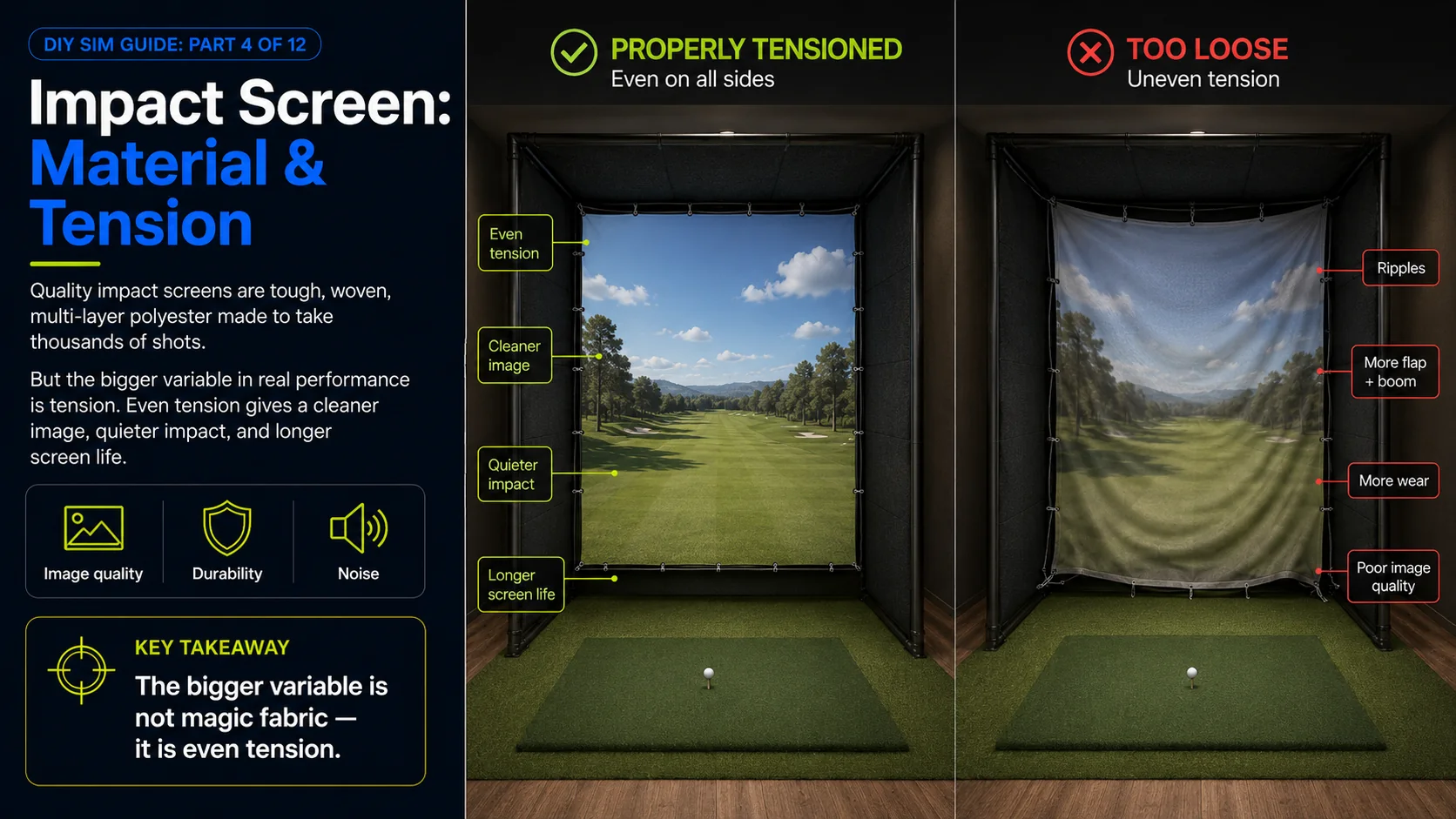
Impact screens are woven from tough multi-layer polyester built to absorb thousands of full-speed strikes while still showing a sharp image. You are balancing three things: image quality, durability, and noise. A denser, smoother weave gives a crisper picture but can be louder and bounce the ball back harder. A more forgiving weave is quieter and deadens the ball more but can look slightly softer. Most quality screens strike a good middle, and the bigger variable is how you tension it.
Tension is everything
A properly tensioned screen is flat, quiet, shows a clean image, and lasts. A loose screen ripples the picture, flaps and booms on impact, and wears out fast as it flexes. Tension comes from even bungee spacing through grommets, a tensioning frame, or pockets, and the key word is even. Pull it taut and equal on all sides so there are no waves, and re-check tension periodically as it breaks in.
Curved or flat
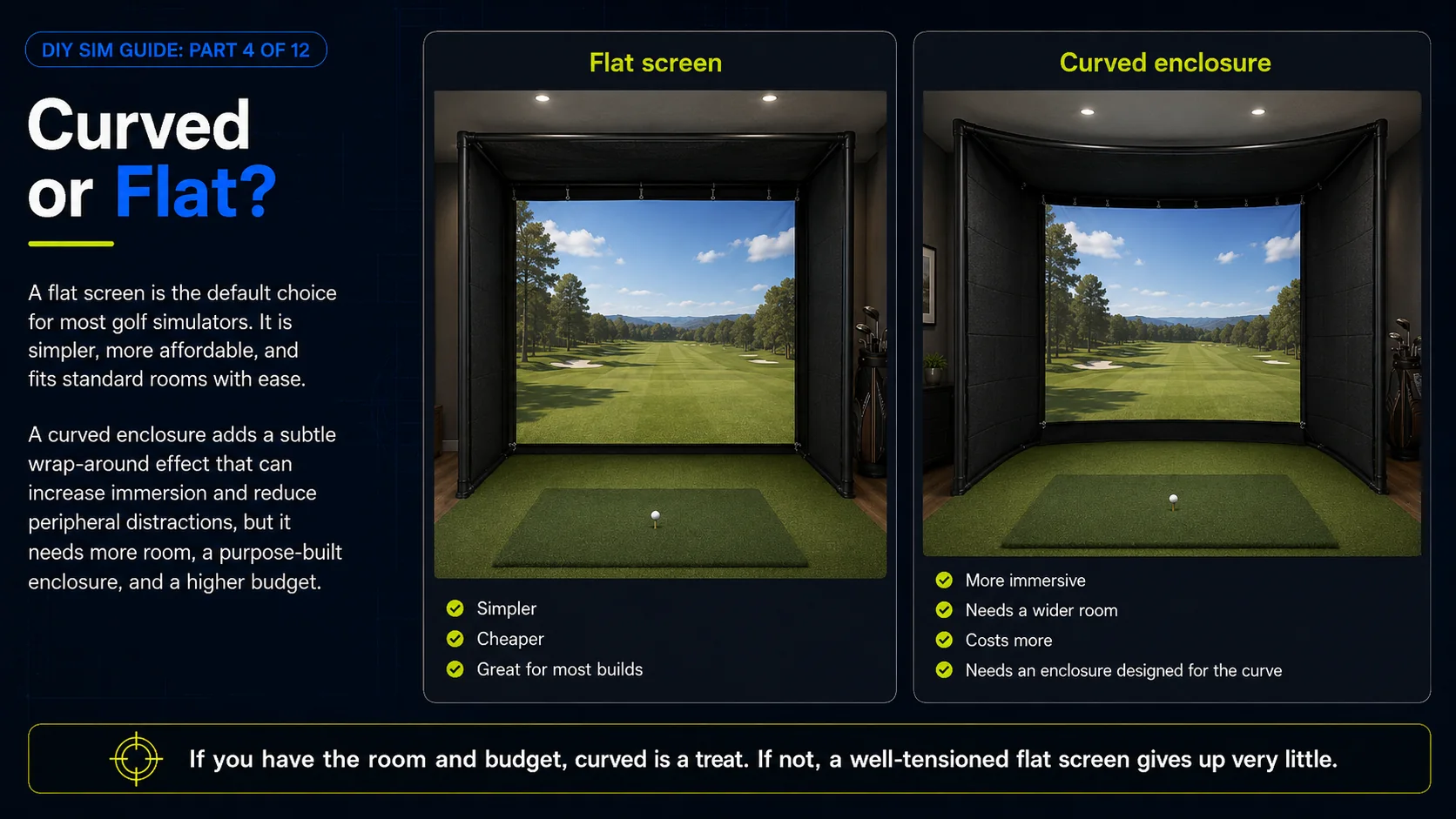
A flat screen is simpler, cheaper, and perfectly great for the vast majority of builds. A curved enclosure wraps the screen slightly around your peripheral vision for a more immersive feel. It looks fantastic, but it needs a wider room and a specific enclosure designed for the curve, and it costs more. If you have the space and the budget and immersion is your priority, curved is a treat. If not, a well-tensioned flat screen gives up very little.
Sizing to your room
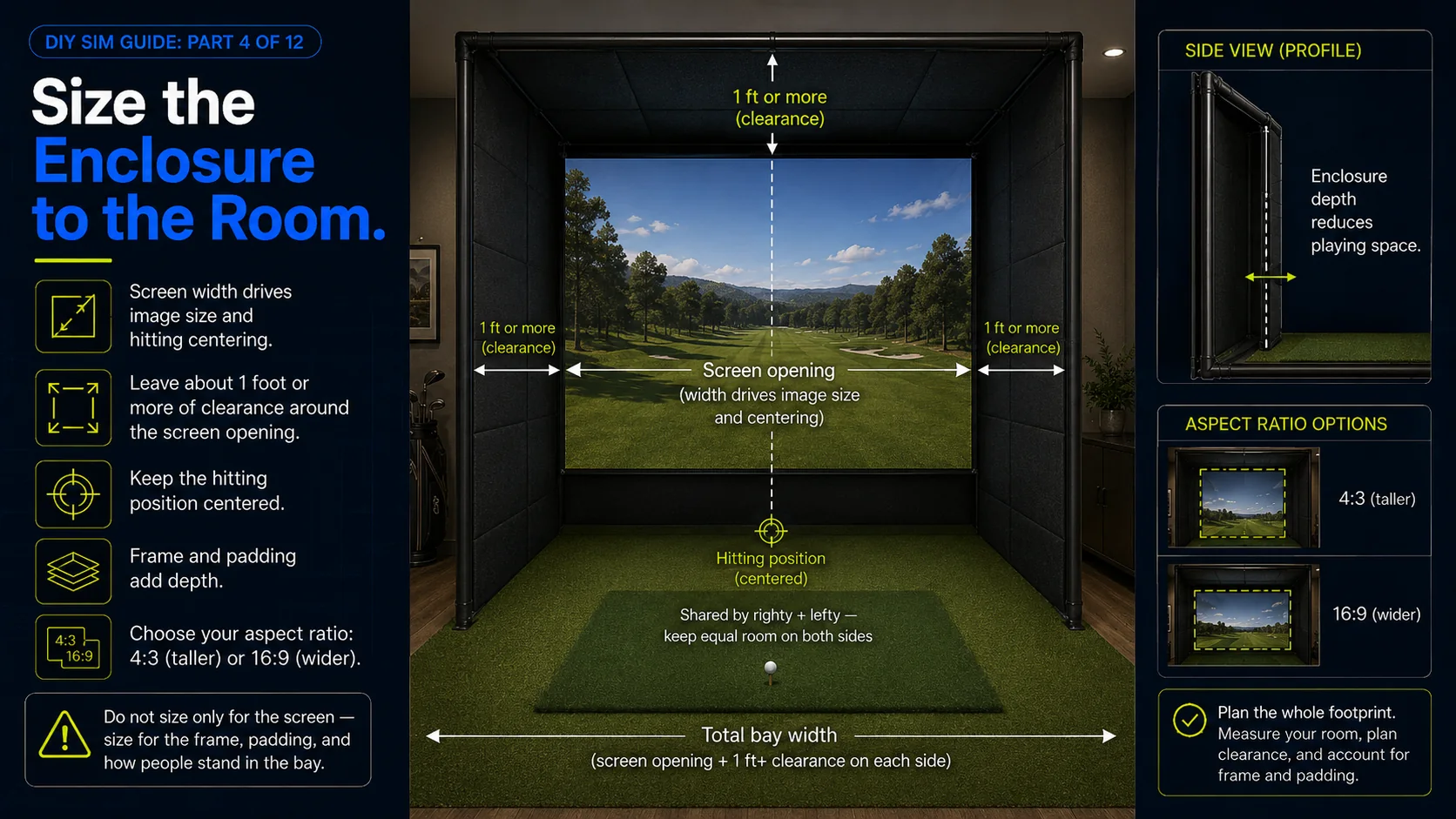
Screen width sets both your image size and how centered you can stand, and screen shape should match how you play. A 4:3-ish screen fills a taller image for a room-filling look, while wider formats suit certain projectors and content. Leave a foot or more of clearance around the screen for the frame and for mis-hits, and if a right- and left-handed golfer will share the bay, size for a centered hitting position with room on both sides. Do not forget the depth the frame and padding add, because they push your effective playing space forward.
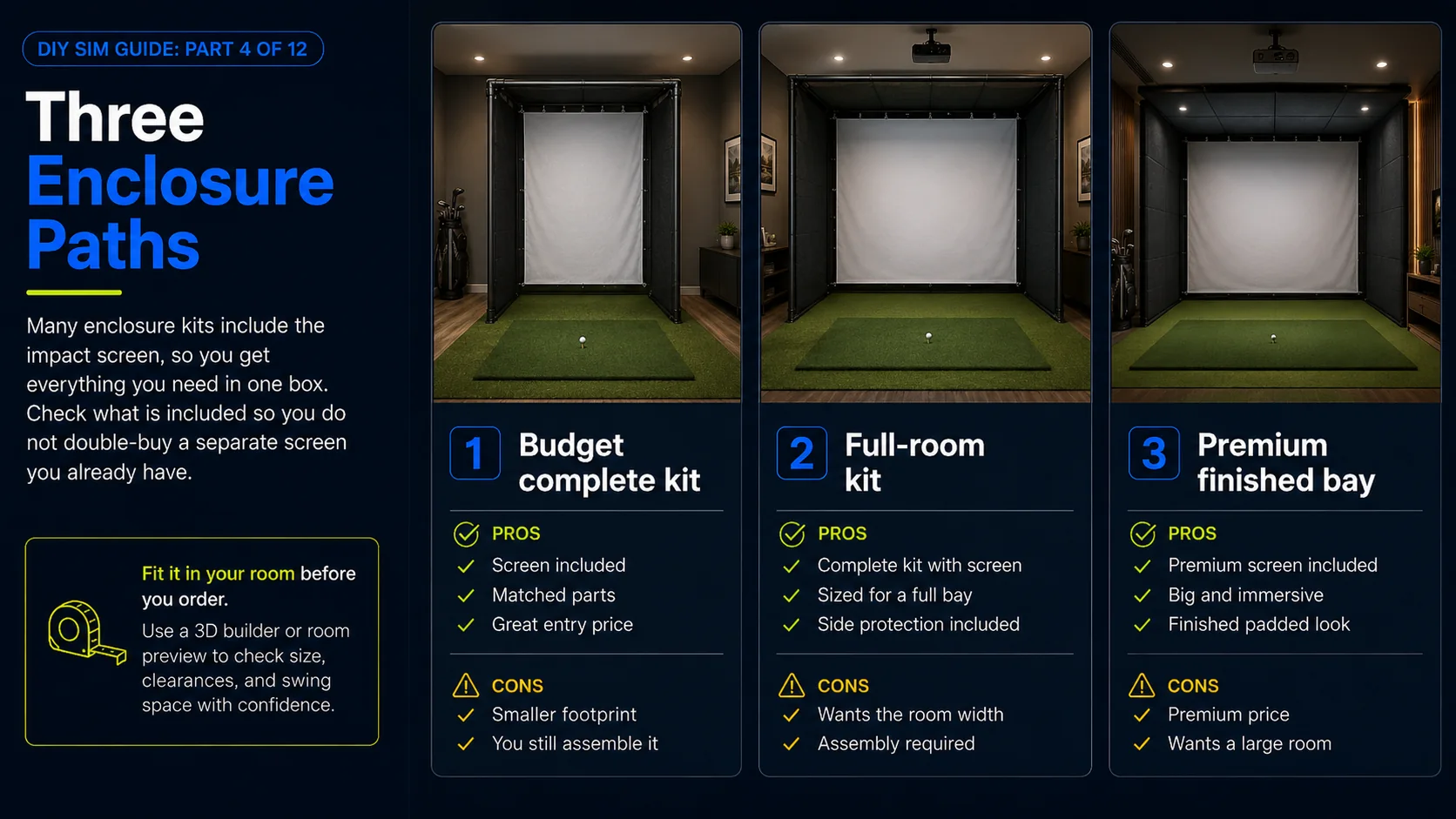
Here are three enclosures across the range, from a complete budget kit to a premium finished bay. Each one includes an impact screen.
Some links on this page earn this site a commission at no extra cost to you. Learn more.
"A complete DIY enclosure kit that includes the screen, so you get a finished bay without sourcing parts."
"A popular complete enclosure sized for a real room, with the screen and side netting included."
"A premium kit with a premium impact screen, for a finished, quiet, set-and-forget bay."
See it framed in your room
Drop an enclosure and screen into the 3D builder with your real room dimensions and it sizes the frame, positions the screen, and fit-checks clearances, including the standoff from the wall and the space around the screen for the frame, so you know the exact enclosure that fits before you order.
Building the frame yourself? The hands-on deep dive walks the whole job step by step: framing in EMT conduit or 2x4 lumber, the exact clearances, and how to mount and tension the screen so it looks sharp and kills the ball instead of trampolining it back.