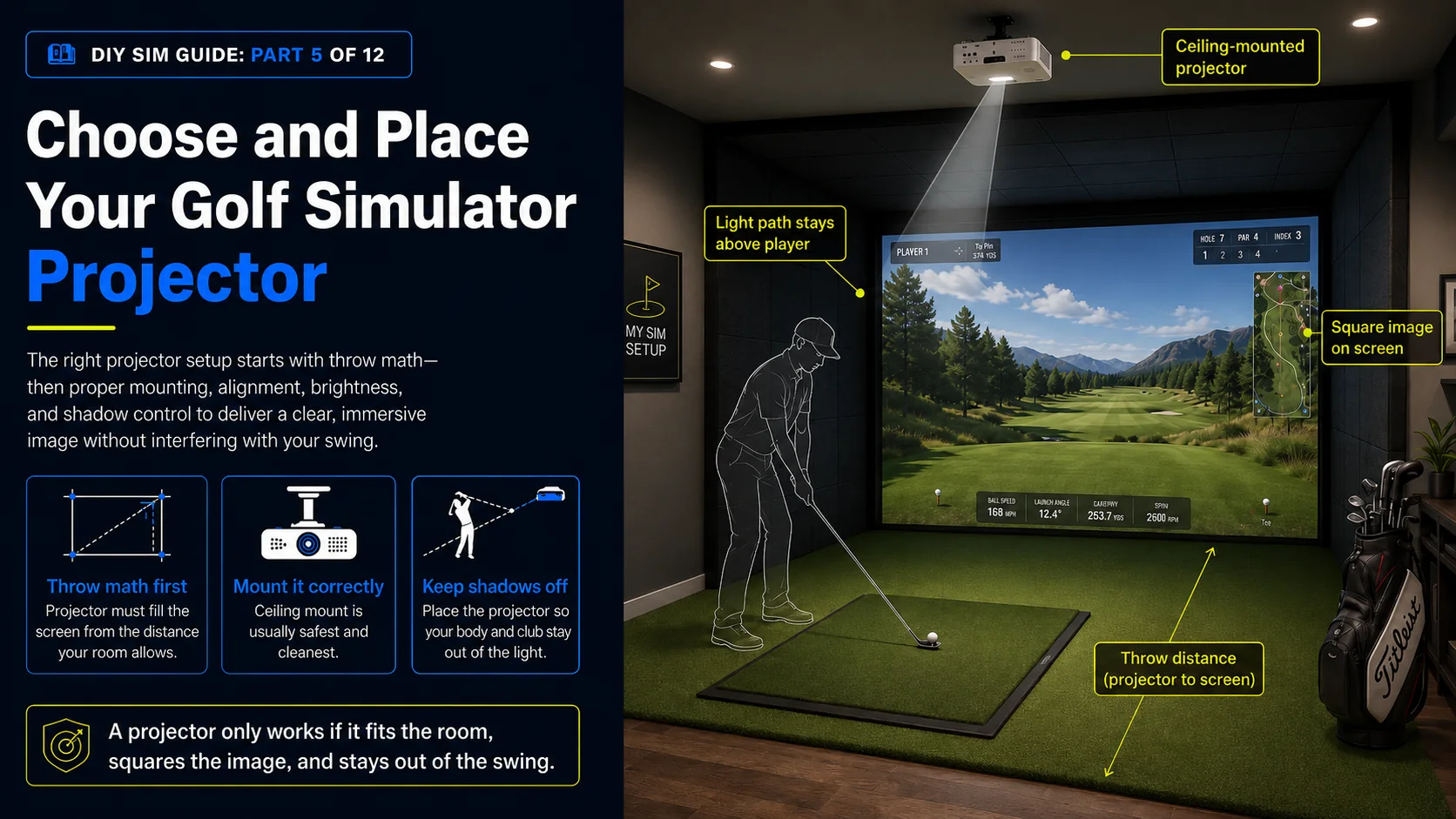
How to Choose and Place a Golf Simulator Projector
The projector puts the course on your screen. Nail the throw math, the brightness, and the alignment and it looks incredible. Get them wrong and you fight the image forever.
The projector is the difference between a flat, dim picture and a course that pulls you in. It is also the component people most often buy on brightness or resolution alone, then find it cannot fill their screen from where it has to sit. Placement math comes first. A projector is only a candidate if it can throw a full-size image at the distance your room allows. This chapter walks through throw ratio, mounting, the lens-shift trap that catches ceiling installs, brightness, resolution, and how to keep your body out of the light.
Throw ratio, the one number that decides fit
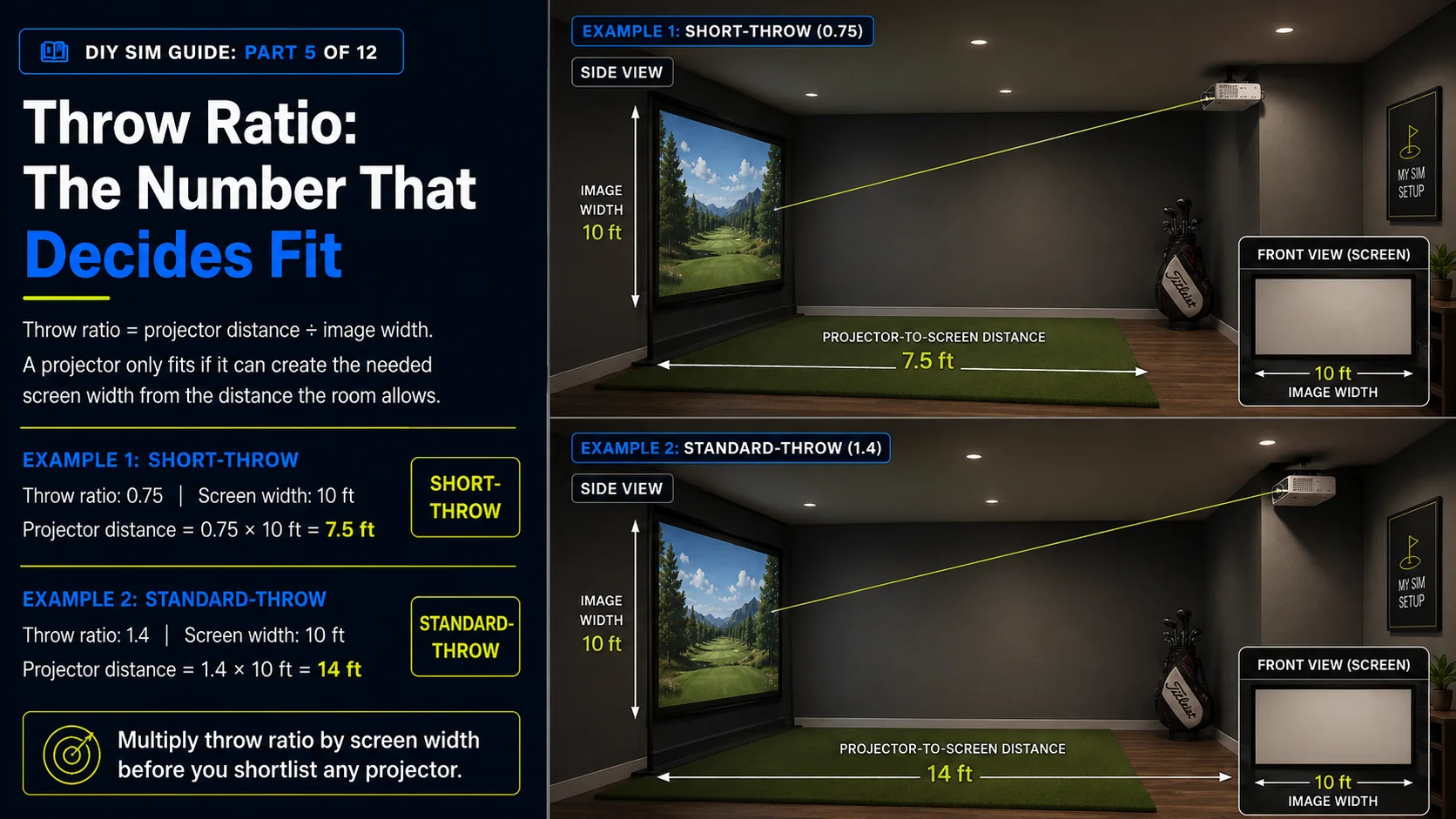
Throw ratio is the projector distance divided by the image width, and the diagram above shows how it works. A short-throw projector, roughly 0.5 to 0.8, fills a big screen from close up, which is ideal for tight rooms and for keeping the projector out of your swing. A standard-throw projector, around 1.2 to 1.5, needs to sit farther back. To find the distance a projector needs, multiply its throw ratio by your screen width. If that distance does not exist in your room, that projector is out, no matter how good it looks on paper.
Ceiling mount or floor and shelf
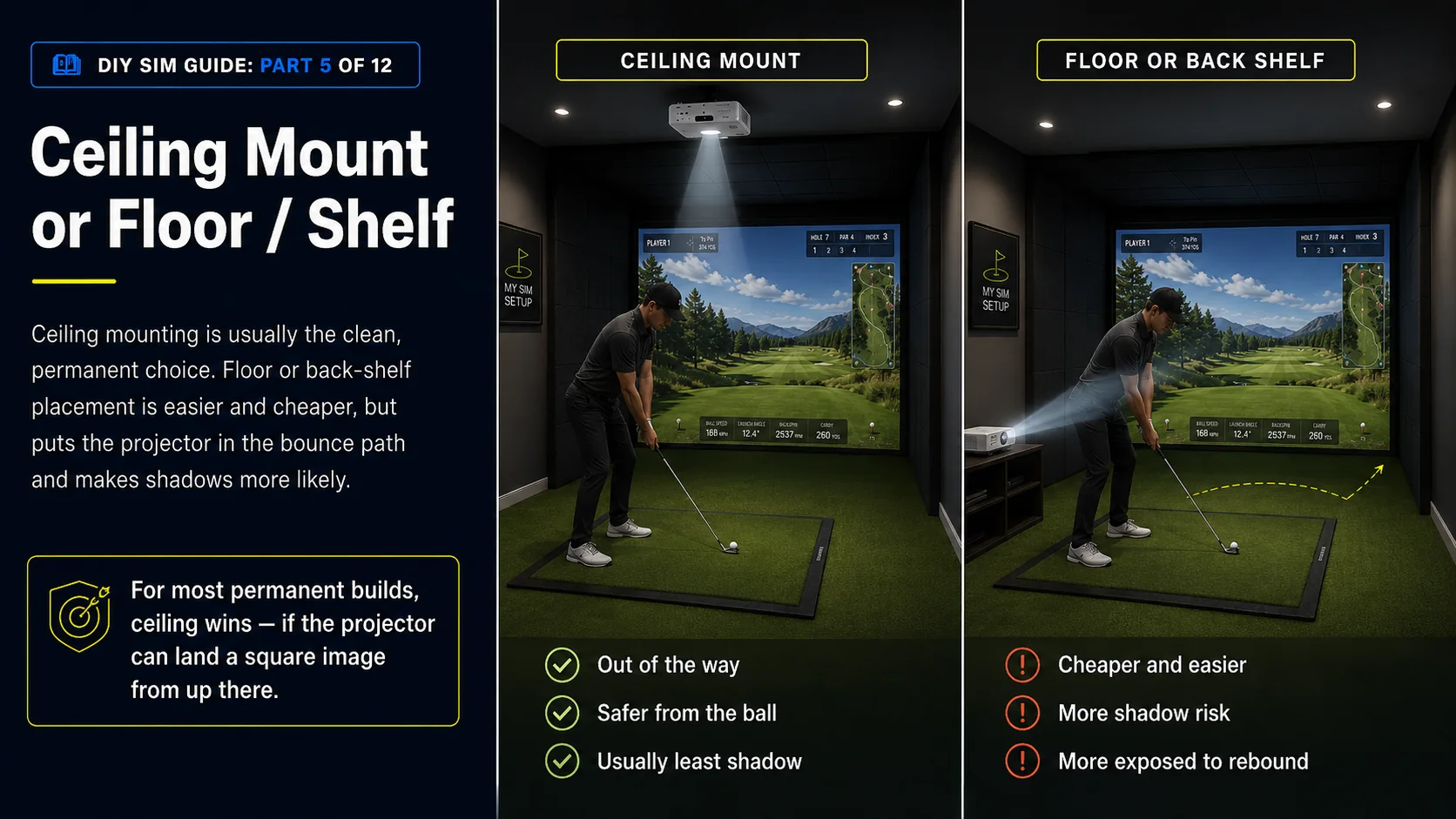
A ceiling mount is the clean, permanent choice. The projector is up and out of the way, protected from the ball, and clear of your swing plane. The cost is running cable and installing a solid mount. A floor or back-shelf placement is easy and cheap, but it puts the projector in the bounce path and raises the risk of your body or club casting a shadow. For most permanent builds, ceiling wins. Just plan the cabling and pick a projector whose lens can land a square image from up there.
Lens shift and keystone: align optically, not digitally
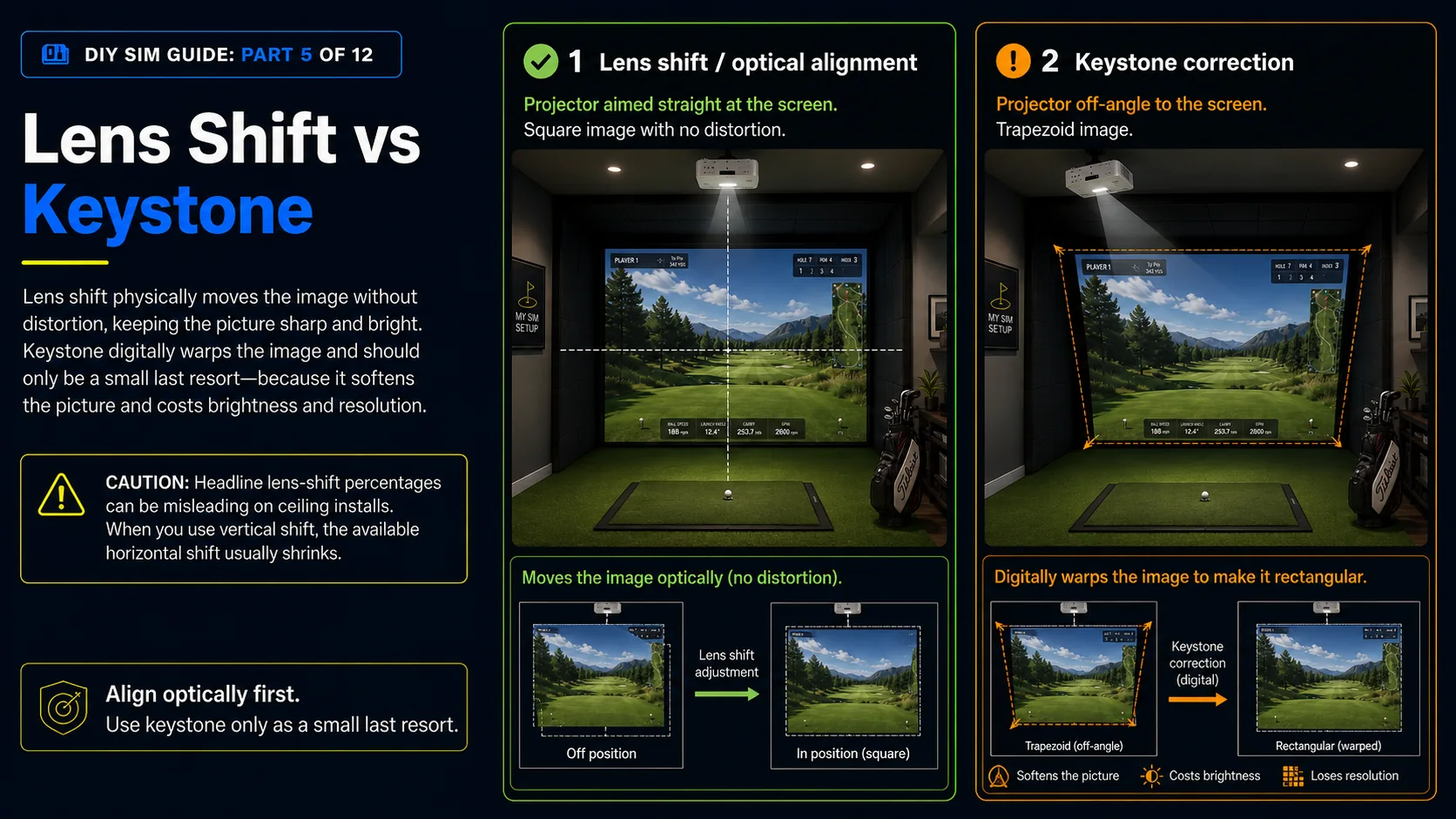
Lens shift physically moves the projected image up, down, or sideways without distorting it, and that is how you land a square, undistorted picture on your screen. Keystone correction digitally warps the image to force it square. It softens the picture, can add artifacts, and costs you brightness and resolution. Reach for physical placement and lens shift first, and use keystone only as a last, small resort. Choose a projector whose lens shift range can square the image from where it will actually sit.
Brightness and ambient light
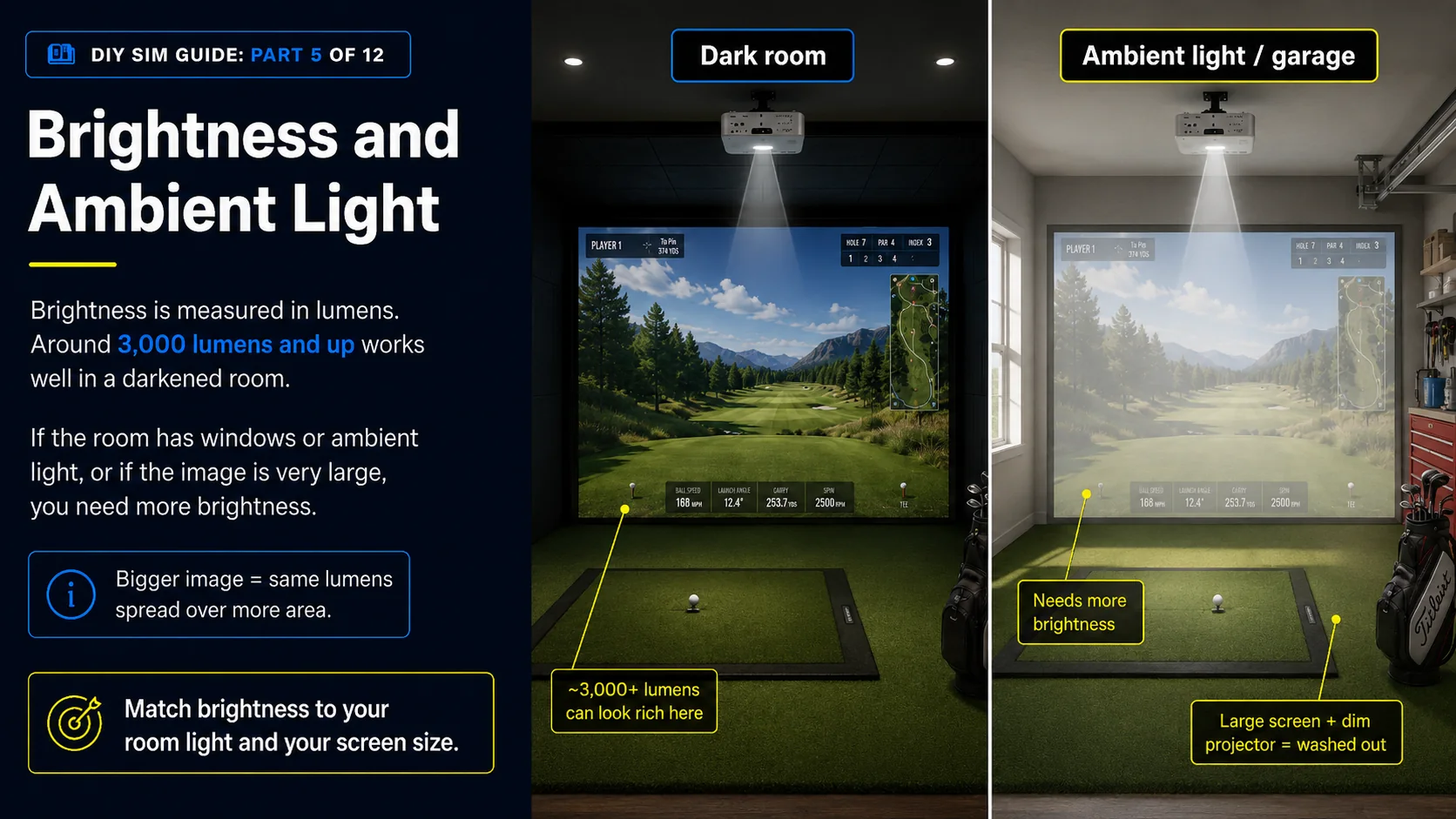
Brightness is measured in lumens, and it sets how vivid and contrasty the course looks, especially with any ambient light. For a room you can darken, roughly 3,000 lumens and up gives a rich image. If you cannot fully control light, in a garage with windows or a shared space, lean brighter. A bigger image spreads the same lumens over more area, so pairing a big screen with a dim projector washes it out. Match brightness to your screen size and your light.
Resolution and responsiveness
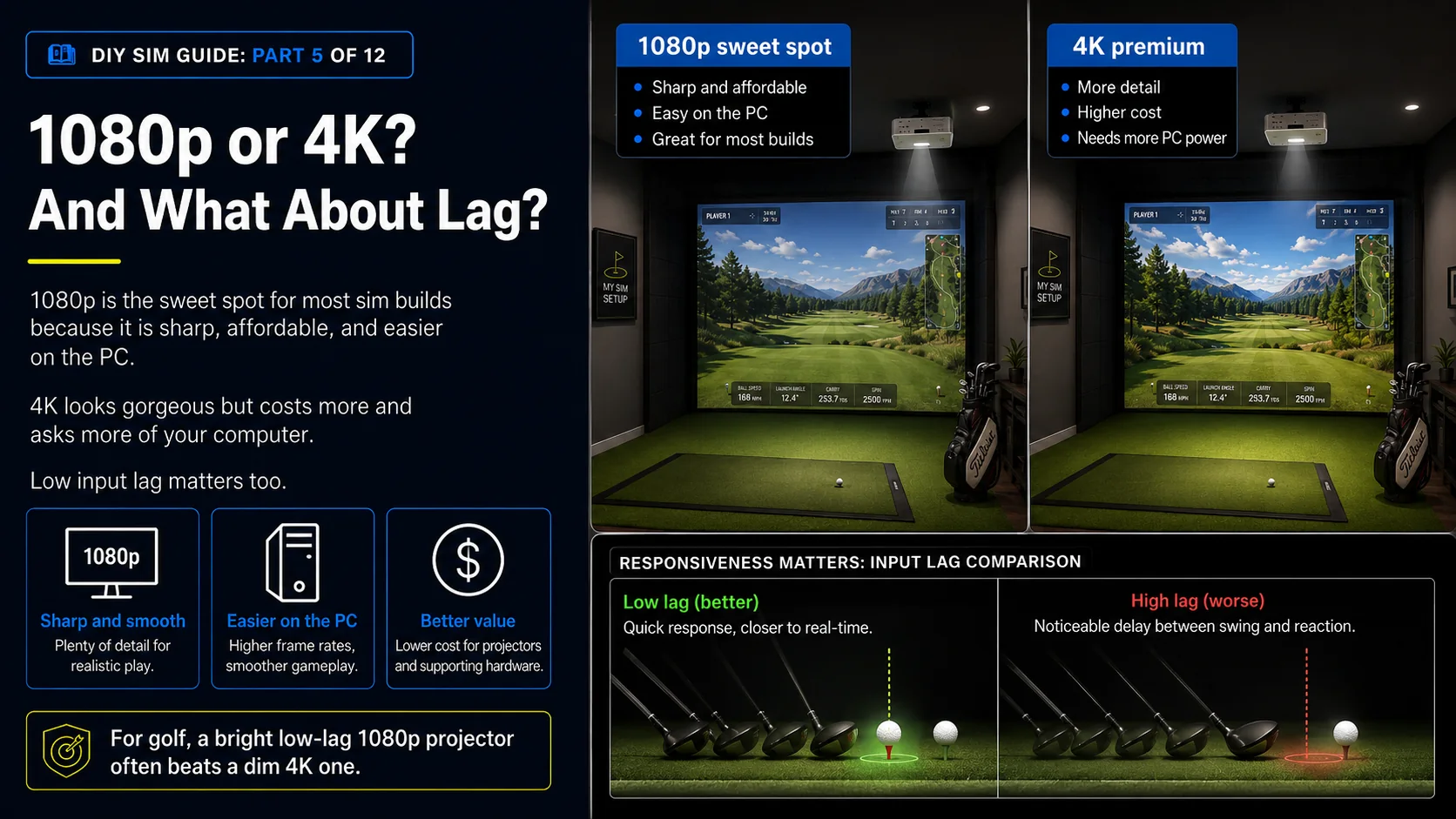
1080p is the sweet spot for most sim builds. It is sharp, affordable, and easy on your PC. 4K looks gorgeous but costs more and asks more of your computer to drive it. Input lag and refresh matter too. A snappy projector makes the sim feel responsive when the ball launches, while a laggy one adds a beat of delay. For golf, a bright, sharp 1080p projector with low lag beats a dim 4K one every time.
Here are three projectors that show the range, from a budget short-throw up to a bright 4K laser.
Some links on this page earn this site a commission at no extra cost to you. Learn more.
"A budget short-throw that puts a bright 1080p image on your screen without breaking the bank."
"4K sharpness and short-throw flexibility at a sensible mid-tier price."
"A bright 4K laser for a premium, set-and-forget bay."
Keep your shadow off the ball
Wherever the projector sits, make sure your body and club do not cast a shadow across the screen or the ball-flight zone at address and through impact. A ceiling mount well forward of your stance usually solves this. A back-shelf placement is the most shadow-prone. Our builder includes a least-shadow helper that positions the projector to minimize shadowing for your stance and room.
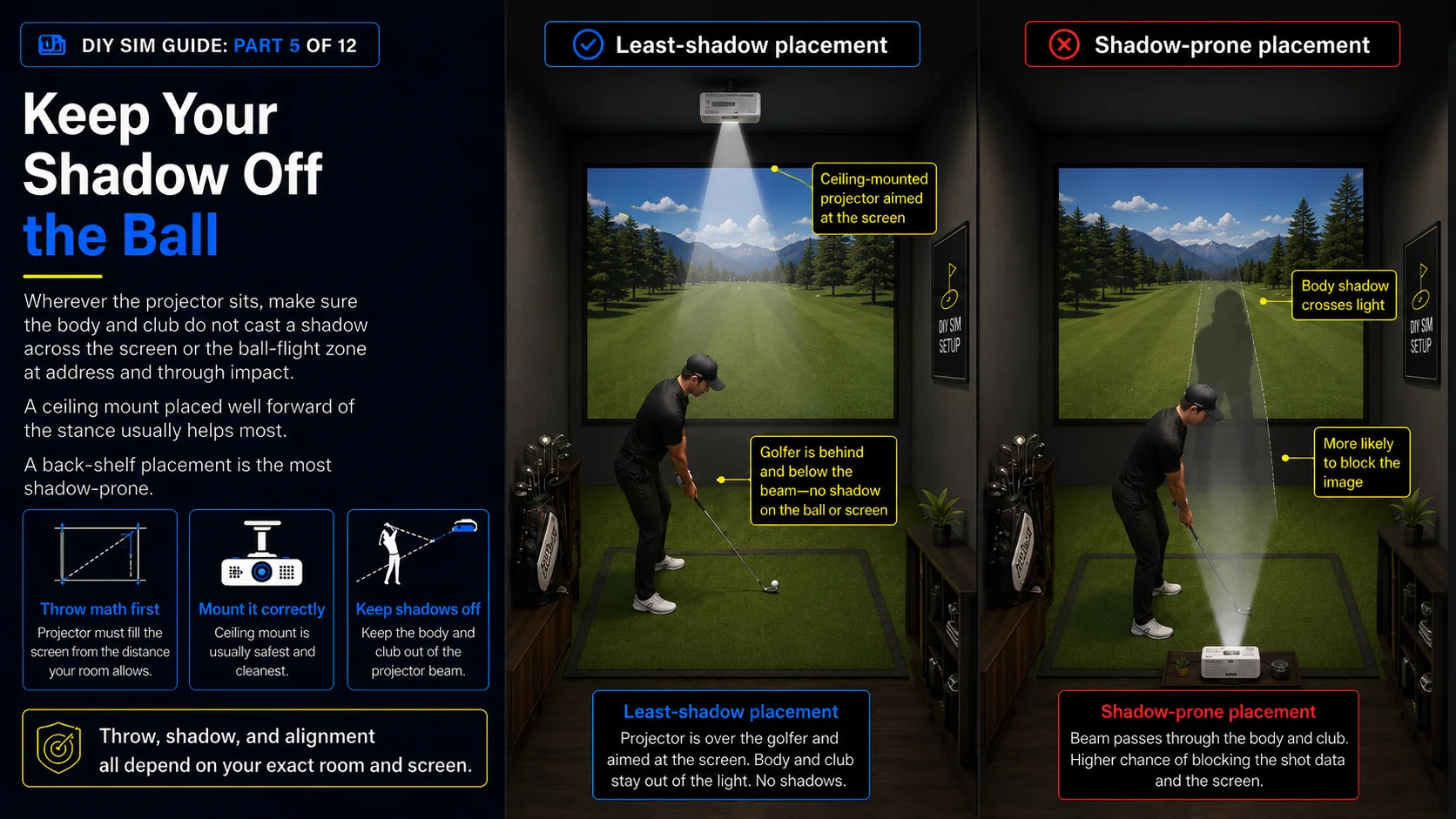
Because throw, shadow, and keystone all depend on your exact room and screen, the surest way to pick a projector is to place it in your modeled room and let the math run.