How to Choose a Golf Simulator Hitting Mat
The mat is the one component your body feels on every single swing. A good one protects your wrists and your floor, and a bad one sends you to a physio.
It is tempting to treat the hitting mat as an afterthought, just the thing you stand on. In practice it is one of the most important purchases you will make, because it is the only component that physically feeds back into your body hundreds of times per session. A hard, thin mat transmits impact shock straight into your wrists, elbows, and shoulders. A good mat gives realistic turf interaction and forgiveness that protects your joints and your subfloor. This chapter covers mat types, the honesty of your strike, thickness and its hidden cost, and launch-monitor compatibility.
Why the mat matters more than its price suggests
Every full swing into a mat sends force somewhere. On a cheap, firm mat that force goes into your joints, and the effect compounds over weeks of practice. A quality mat absorbs and distributes that impact, letting the club interact with the surface more like real turf so your hands are not jarred on every strike. Think of the mat as protective equipment as much as playing equipment. It is the cheapest place to hurt yourself and one of the best places to spend a little more.
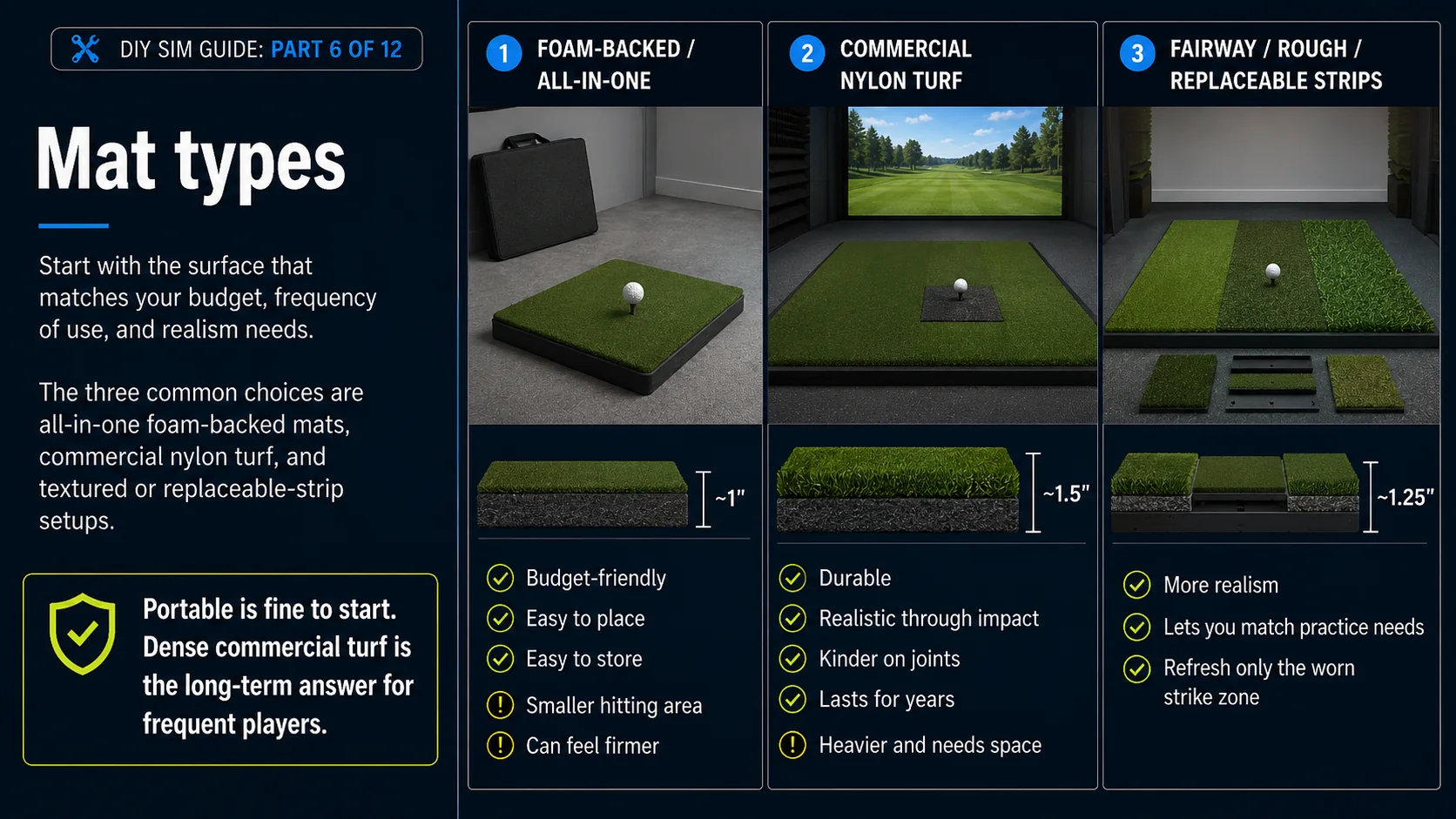
Mat types
Foam-backed and all-in-one
Budget-friendly and often portable, these combine a turf top with a foam base in one piece. They are a fine starting point and easy to place, though the cheapest versions can be firm and wear quickly at the strike zone.
Commercial nylon turf
The durable, realistic choice you see in launch-monitor bays and fitting studios. Dense nylon fibers take a beating, feel closer to real turf through impact, and last for years. They cost more but are the long-term answer for frequent players.
Fairway or rough textures
Some mats mimic tight fairway lies, others simulate rough or offer replaceable hitting strips of different textures. Matching the surface to the shots you practice most adds realism, and replaceable strips let you refresh the worn strike zone without buying a whole new mat.
Thickness and your floor
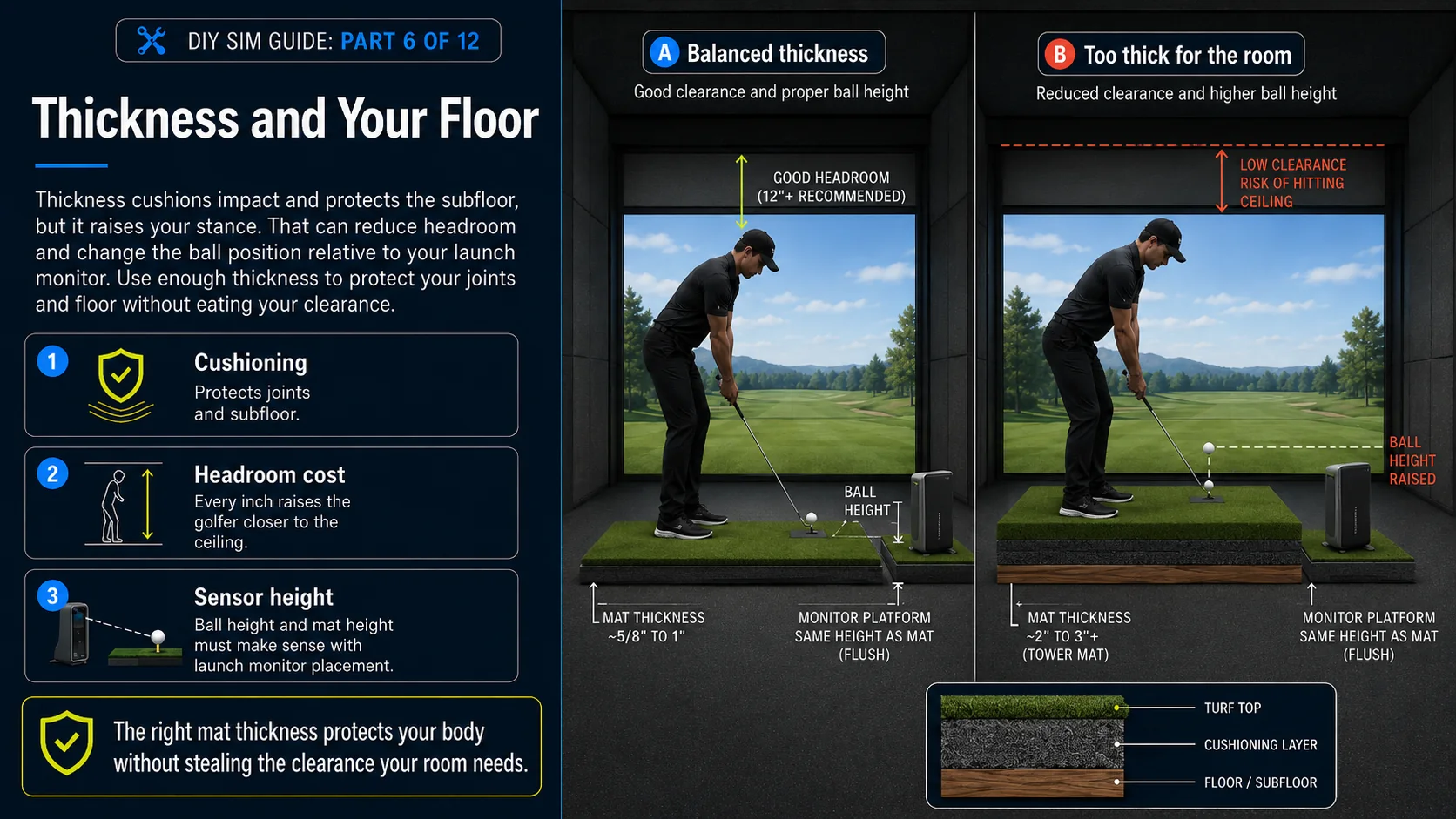
Thickness cushions impact and protects the subfloor beneath it, but it comes with a trade-off you met back in Plan Your Space, and the diagram above shows it. A thick tower mat raises your stance and steals ceiling height you may not have to spare, and it changes ball position relative to the launch monitor. Choose enough thickness to protect your joints and floor without eating your headroom. Our builder caps and models mat thickness so you can see its effect on clearance before you buy.
Teeing up and hitting strips
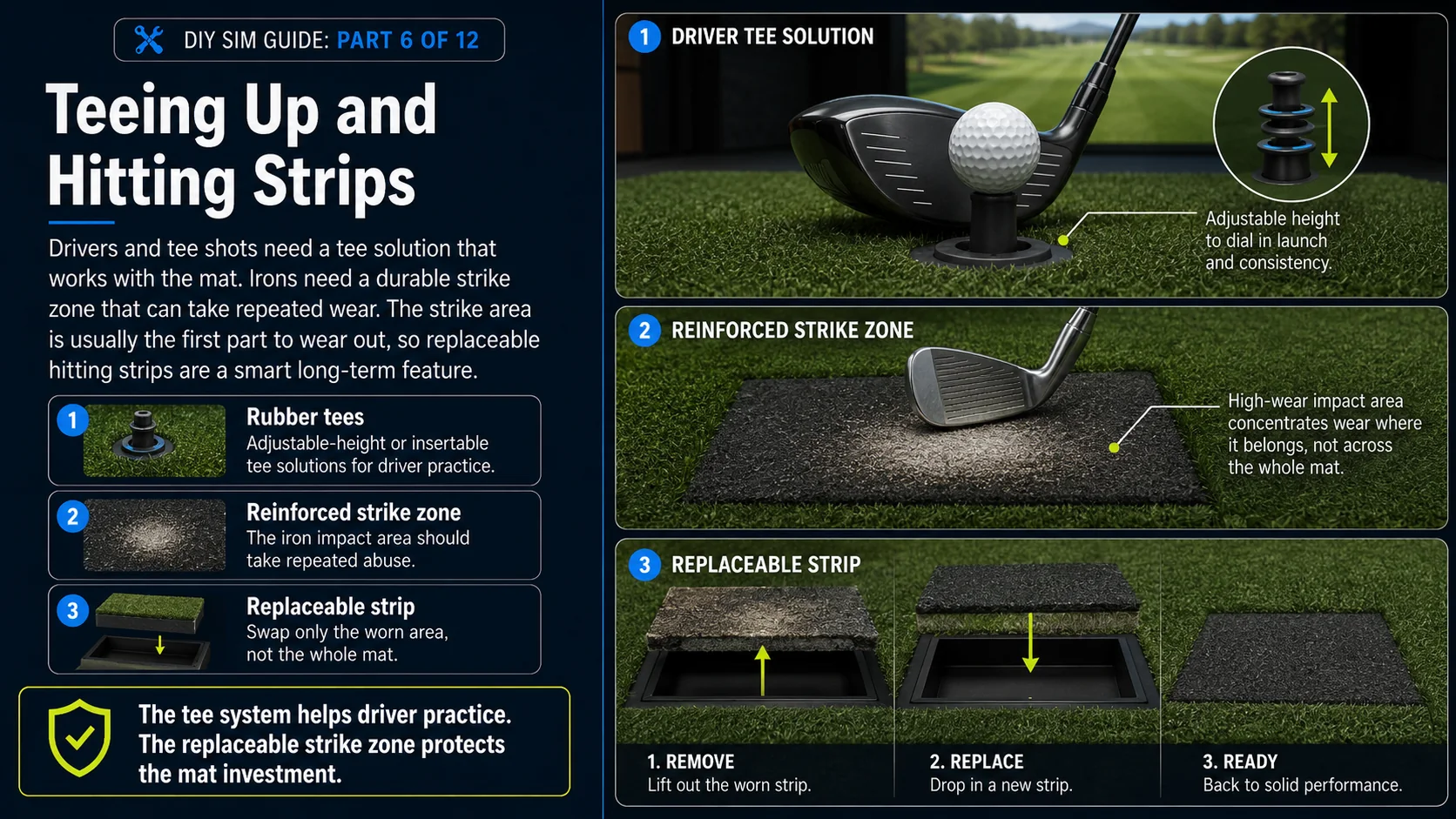
For drivers and tee shots you will want rubber tees, often adjustable-height, that plant into the mat, and for irons a durable hitting strip or zone that takes the repeated wear. Look for a mat with a replaceable or reinforced strike area. It is the first thing to wear out, and being able to swap it extends the life of the whole mat.
Launch monitor compatibility
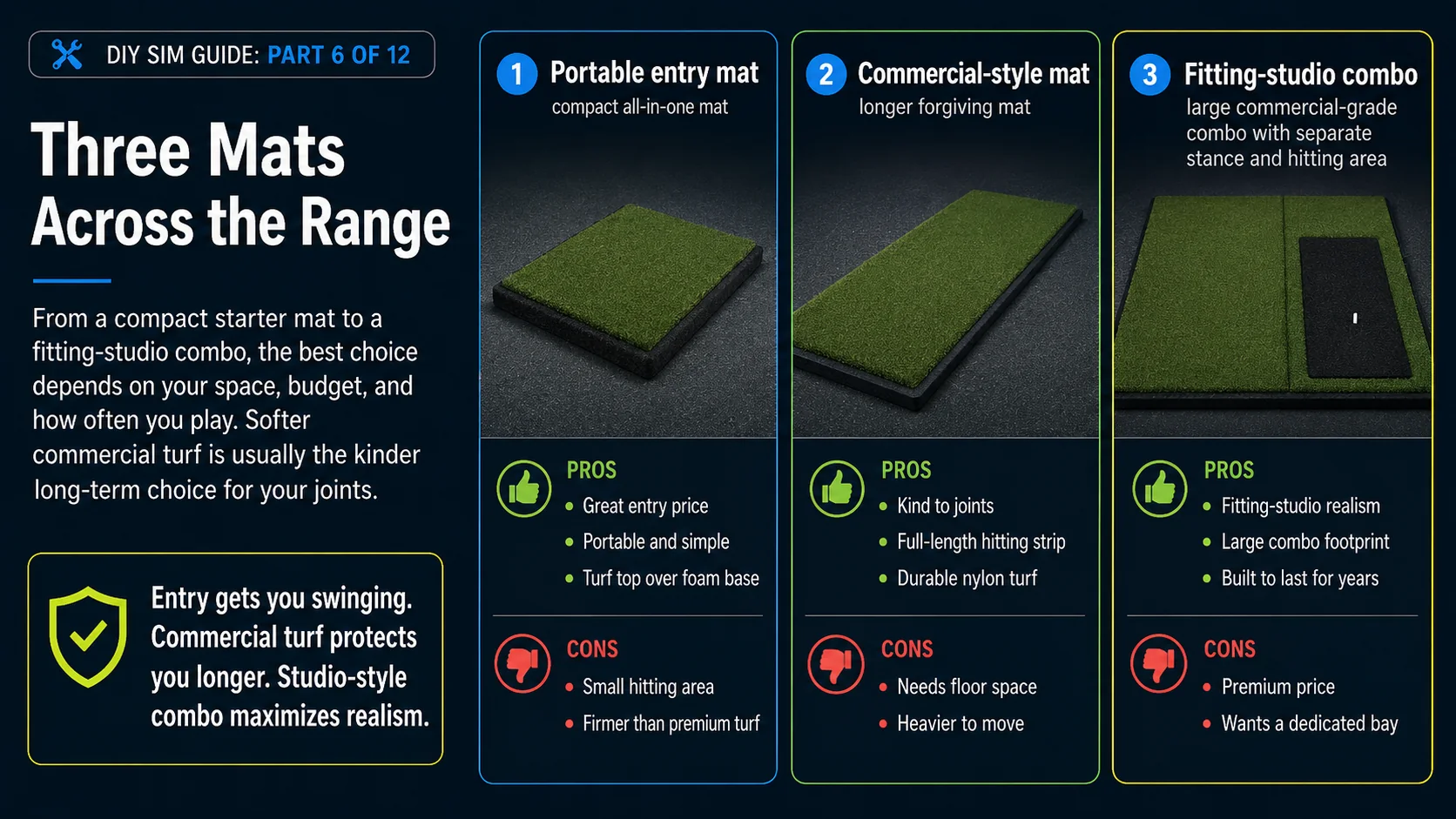
Here are three mats across the range, from a portable entry mat to a fitting-studio combo. Softer commercial turf is the kinder long-term choice for your joints.
Some links on this page earn this site a commission at no extra cost to you. Learn more.
"A compact, all-in-one mat to get you swinging today, easy to place and easy to store."
"A long, forgiving commercial-style mat that takes iron divots without jarring your wrists."
"A commercial-grade combo with a real stance surface and hitting area, the fitting-studio feel."
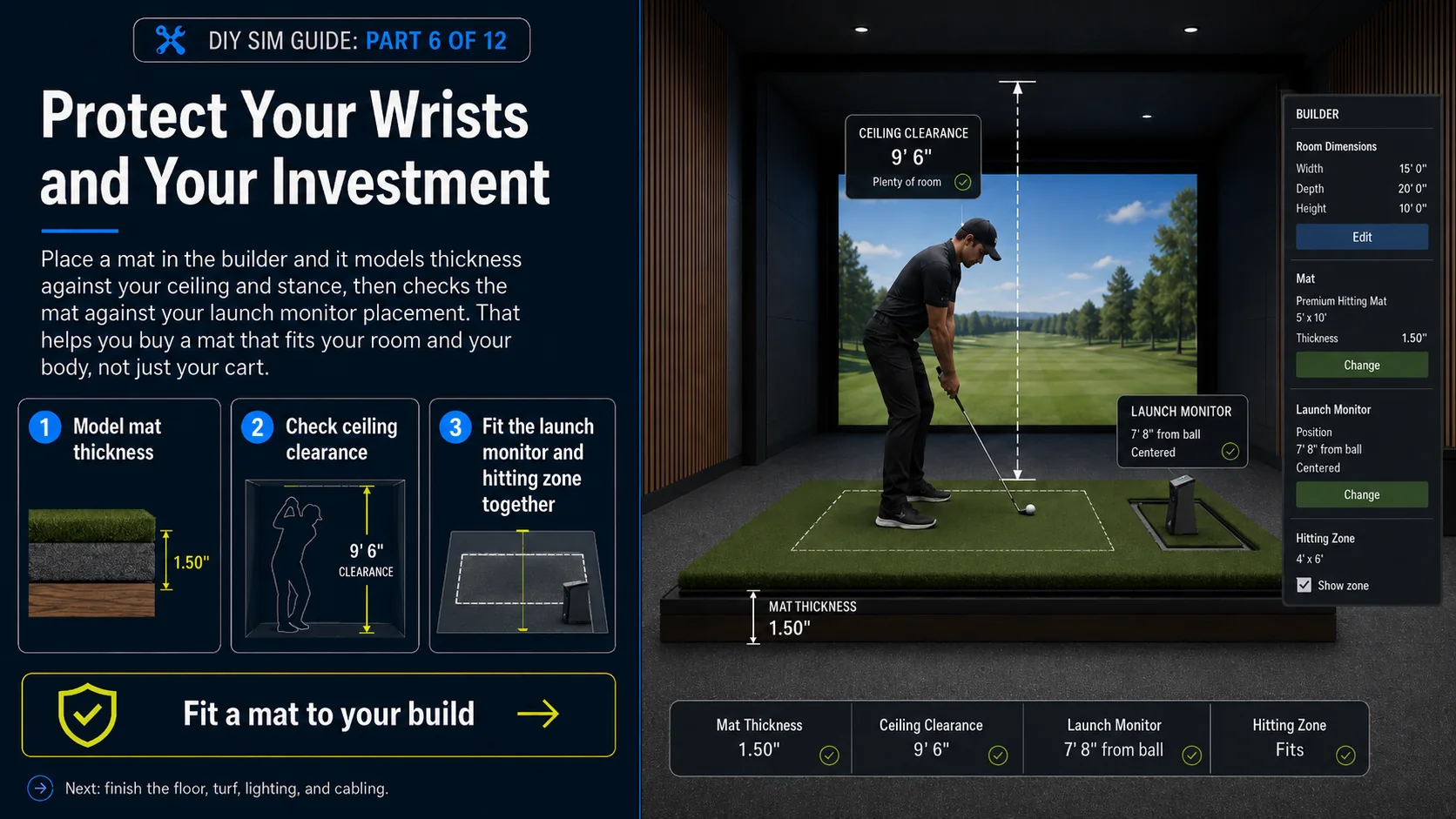
Protect your wrists and your investment
Place a mat in the 3D builder and it models the thickness against your ceiling and stance and positions it with your launch monitor, so you buy a mat that fits your room and your body, not just your cart.