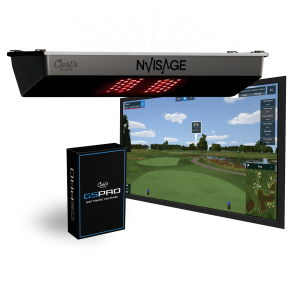
Nvisage N1
$4,995One retailer
Some links on this page earn this site a commission at no extra cost to you. Learn more.
Where to buy
Prices last verified 10/27/2026
Sold direct by My Sim SetupSee the shop
We sell these ourselves, in the same category as this one.

Verified research
From the MSS study: what the sensor measures, what it costs to run, and what it needs from the room.
CameraClub data: Speed onlySpin: Measured
Premium overhead camera for dedicated rooms; exceptional ball data but requires marked balls.
$4,995Hardware, best price
NoneRequired subscription
$4,995Five-year cost
MURLIE (included): free. GSPro: $250 a year. E6 Connect: price varies.
Why people buy
Full ball-spin breakdown measured optically (back/side/axis)
Dual 2,000 FPS high-speed cameras for precision
Native GSPro/E6 compatibility
Included NVISAGE practice software
Trade-offs
Club data limited to speed only (no path/face/AoA)
Requires proprietary marked balls for accuracy
Windows PC only; no Mac or mobile support
Wired Ethernet only; no Wi-Fi/Bluetooth
Ball tracking
Ball SpeedMeasured
Launch AngleMeasured
Launch DirectionMeasured
Spin RateMeasured
Spin AxisMeasured
Club tracking
Club SpeedMeasured
Club PathNot possible
Face AngleNot possible
Attack AngleNot possible
From the verified MSS launch-monitor study: measured = read directly by the sensor; calculated = algorithm-derived.
PlacementOverhead, Ceiling-mounted 9-10 ft high. ~2 ft in front of hitting area. Recommended 10 ft hitting-to-screen.
EnvironmentIndoor
BallNVISAGE marked balls required (12 included)
Third-party simsSupported, Native GSPro/E6 Connect compatibility (no fees). Includes MURLIE software. Windows PC only.
The fine print
Requires proprietary NVISAGE marked balls; Windows PC only with wired Ethernet; cannot use personal balls. No mandatory subscription for the launch monitor itself; GSPro (~$250/yr) and E6 Connect are optional third-party simulators sold separately.Specifications
Core Technology
Core Tech TypeCamera
Sensor Technology2 cameras, no radar
Technology DetailCamera
Performance Data
Ball Data
Club Data
Compatibility
Sim Readiness
Device / PC Reqs
Subscription CostNo mandatory subscription or connector fees for the launch monitor itself (vendors explicitly state "no connector fees, no subscription required").
Special Balls/Markers
Physical
Typical PlacementOverhead / ceiling
Indoor / OutdoorIndoor only
PortableNo
DisplayOnboard touchscreen
Value
GradeProsumer
Best ForPremium fixed home sim rooms